

Introduction: Why PLC Wiring Matters
If you’ve ever tackled PLC Wiring during a late-night production emergency, you know how the smallest mistake can turn into a massive headache. I remember a night shift where a simple wiring discrepancy caused a full production line shutdown. After hours of troubleshooting, it turned out a wiring label was wrong, and wires were swapped at the input module. Talk about a nightmare!
Correct PLC wiring isn’t just about making things look neat—it’s about ensuring system reliability and safety. When wires aren’t connected properly, it can lead to miscommunication between components, causing errors or even complete system failure. Trust me, nobody wants to be that engineer who brings the plant to a standstill.
In this article, we’re going to dive into the essential components of a PLC wiring diagram, how to create a basic wiring diagram, and delve into advanced wiring techniques. By the end, you’ll have a solid foundation to create reliable and efficient wiring diagrams for your PLC setups.
Essential Components of a PLC Wiring Diagram
Power Supply Connections
The backbone of any PLC system is its power supply. Without a reliable power source, your PLC won’t function correctly. Ensure you use the right voltage ratings compatible with your PLC model. For instance, Siemens S7-1200 requires a 24V DC supply. Using a different voltage can damage your equipment or lead to erratic behavior.
Moreover, power supplies should have a dedicated circuit breaker to handle overloads. This prevents broader system shutdowns. You’d be surprised how often people overlook this simple safeguard. I once worked at a plant where an entire shift was lost because someone bypassed the circuit breaker “just for a test.” Bad idea.
Input/Output Modules
Every PLC wiring diagram prominently features input and output modules. These are your system’s eyes and hands. Correctly wiring them ensures that signals are accurately processed and acted upon.
One common mistake is mixing up analog and digital modules. Digital inputs can’t process analog signals, leading to skewed data. Ensure that you label and separate these modules clearly in your wiring diagram. In one instance, a miswired analog input caused false alarms, which we chased for days. Proper separation would’ve saved us a lot of grief.
Pro Tip: Label everything. It saves you hours of tracing wires during troubleshooting.
Grounding and Earthing
Grounding might seem trivial, but it’s crucial for system stability. It protects your system from electrical noise and surges. Poor grounding can cause intermittent faults that are a nightmare to diagnose.
Use dedicated grounding wires and avoid sharing them with other systems. I prefer using Belden 9841 cables for their reliability and shielded properties. Ensure all components are connected to a common ground point to prevent potential differences. I once spent a whole day chasing a phantom fault only to find it was a grounding issue. Don’t underestimate this step.
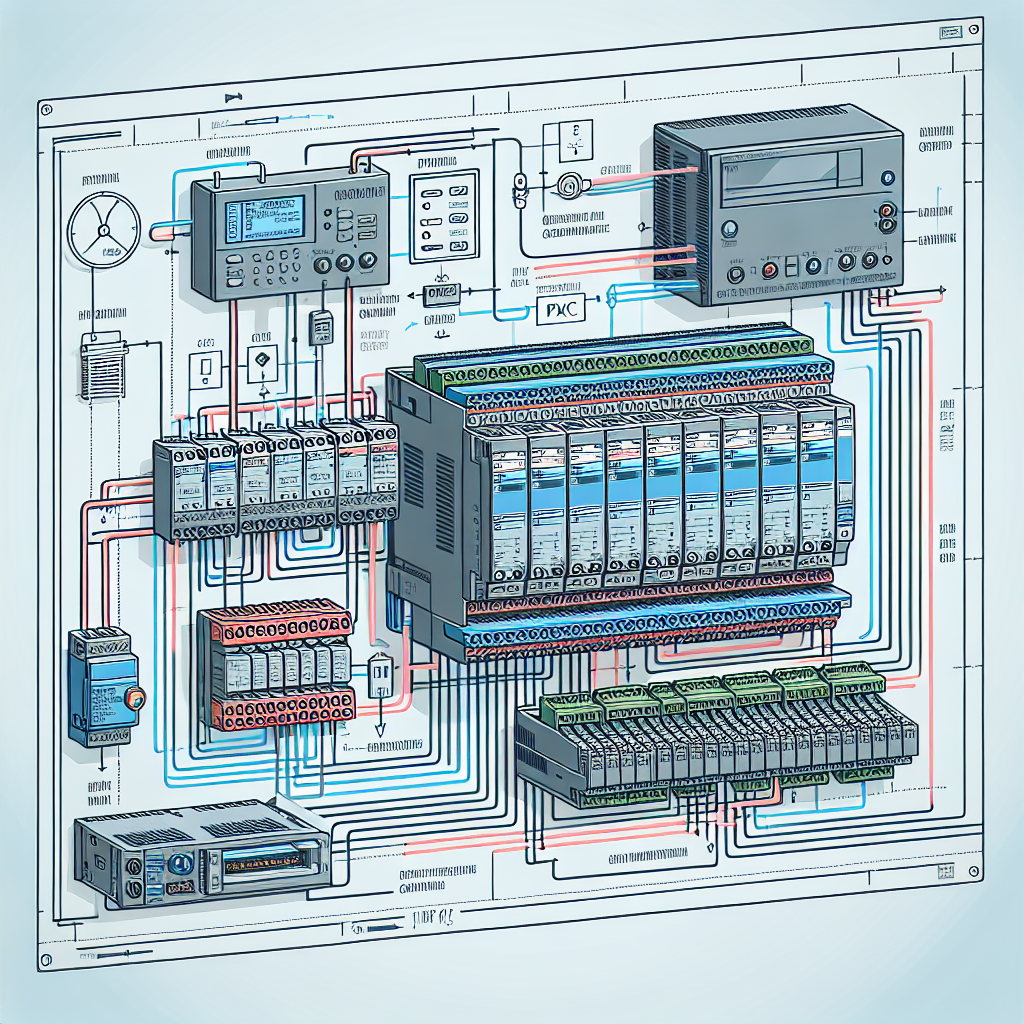
Creating a Basic PLC Wiring Diagram
Step-by-Step Guide
Creating a basic PLC wiring diagram isn’t as daunting as it sounds. Here’s a step-by-step guide to help you through the process:
- Start by outlining your PLC’s key components—power supply, input/output modules, and communication ports.
- Use standard symbols for each component; this makes the diagram universally understandable.
- Connect components using straight lines to represent wires. Keep it clean and organized.
- Label each wire according to its function and connection point.
Accuracy is key. A simple mistake can lead to hours of debugging down the line. For instance, if you’re using the Allen Bradley CompactLogix, double-check the terminal assignments. Mix-ups here can lead to significant downtime.
Software Tools to Consider
Several software tools can simplify creating wiring diagrams. AutoCAD Electrical and EPLAN are popular choices among engineers. These tools offer libraries of standard industrial symbols and automate many tedious tasks.
While AutoCAD Electrical provides a more intuitive interface, EPLAN is powerful for complex projects with a steep learning curve. I personally prefer AutoCAD for its ease of use in straightforward projects. However, for something like a Mitsubishi FX series setup, EPLAN’s detailed libraries really shine.
Practical Tips for Accurate Diagramming
Keep your diagrams as simple as possible. Avoid crossing wires unnecessarily and always double-check connections. Additionally, use consistent labeling and ensure all components are accounted for in your diagrams. This practice not only aids in construction but also in future maintenance. Once, a colleague swapped two wires in a Mitsubishi Q-series project because the diagram was too cluttered. It was a costly lesson in diagram clarity.
Advanced Wiring Techniques
Dealing with Complex I/O Configurations
Complex I/O configurations require meticulous planning. You can’t just wing it and hope everything connects properly. For systems with hundreds of I/Os, break down the wiring into manageable sections. Assign specific areas for digital inputs, analog signals, and communication ports.
Consider using terminal blocks to organize and manage these connections. They provide a neat solution for complex configurations by allowing easy access and identification. Trust me, this approach saves time when diagnosing issues.
At one site, we used Phoenix Contact terminal blocks for a Siemens S7-1500 setup. The modularity made it easier to isolate and troubleshoot specific sections.
Implementing Safeguards and Redundancies
In critical systems, implementing safeguards and redundancies isn’t just a best practice—it’s essential. Redundant power supplies ensure your PLC stays operational even if one fails. Similarly, dual PLCs can provide backup control in case one unit goes down.
Moreover, watchdog timers and fail-safe relays add layers of protection by monitoring system health and taking corrective actions as needed. For instance, if a communication link fails, a fail-safe relay can trigger predefined safety protocols.
From my experience: Implementing these redundancies initially might seem like overkill, but they’ve saved my skin more times than I can count.
Real-World Examples of Advanced Wiring Solutions
In one project, we dealt with a high-speed packaging line where downtime was costly. We implemented a dual PLC setup with hot-swappable I/O modules. This setup allowed us to replace faulty modules without stopping the line—minimizing downtime significantly.
We also used shielded cables extensively to combat electromagnetic interference, a common issue in high-speed environments. Using twisted pairs for communication lines helped maintain signal integrity despite the noisy industrial setting. An uninterrupted operation was crucial, and this setup delivered.

Common Mistakes to Avoid
Mislabeling Wires
Mislabeling is one of those sneaky mistakes that can really bite you later. I’ve been there — tracing wires at 3 AM because someone thought they’d remember which wire was which. Spoiler: they didn’t. Mislabeling can lead to hours of confusion and troubleshooting, especially when you’re dealing with complex PLC wiring setups. So, always label your wires clearly and immediately after you cut them. Use a consistent labeling scheme and stick to it. Trust me, your future self will thank you.
Incorrect Terminal Connections
Another biggie is making incorrect terminal connections. It’s easy to confuse terminals, especially if you’re in a hurry. Wrong connections can cause shorts, burn out components, or worse, lead to safety hazards. To avoid this, double-check your connections against the wiring diagram before powering up. In my experience, it’s a good idea to have a buddy system for a quick review. A fresh set of eyes can catch mistakes you might overlook.
Moreover, I’ve learned that taking a methodical approach saves you heartache. Always begin with a clear and updated wiring diagram. Don’t rely on memory. If you find a mistake, don’t just fix it — update the documentation to prevent future errors. Funny enough, the best way to avoid mistakes is to plan for them.
Ignoring Grounding and Shielding
Neglecting proper grounding and shielding can lead to random faults and unexplained downtimes. I’ve seen cases where a minor grounding oversight led to signal noise, causing the system to behave erratically. Always ensure your PLC panels are properly grounded and use shielded cables for signal lines to minimize interference.
Overlooking Cable Management
Messy cable management is more than just an eyesore; it’s a breeding ground for mistakes. Without order, you can easily pull the wrong wire or struggle to trace a particular connection. Use cable trays, ties, and labeling to keep things organized. It’s not just about aesthetics—good organization leads to fewer errors and quicker troubleshooting.
Failing to Update Documentation
Documentation isn’t a one-and-done task. Systems evolve, and wiring changes. Failing to keep your diagrams and documentation up-to-date means you’re working with outdated information, which can lead to costly mistakes. Make it a habit to update your wiring diagrams every time a change is made. This small step saves big headaches down the line.
Maintaining and Troubleshooting PLC Wiring
Routine Checks
Routine maintenance for PLC wiring isn’t glamorous, but it’s essential. Regular visual inspections can catch wear and tear before they escalate into bigger issues. Look for frayed wires, loose connections, and any signs of overheating. In my experience, a quarterly check should suffice for most plants, but adjust this based on your environment and workload.
Troubleshooting Tools
When it comes to troubleshooting, having the right tools can make all the difference. A multimeter and an oscilloscope are must-haves. They help you verify voltages and signal integrity. For instance, I once faced a mysterious intermittent fault that turned out to be a grounding issue. My trusty multimeter pointed me in the right direction.
Furthermore, a good cable tester can save you time when tracing connections. Another tip: keep a logbook of issues and their solutions. Over time, you’ll build a resource that can help you quickly diagnose recurring problems.
Quick Tip: If you’re frequently troubleshooting, invest in a thermal camera. It’s perfect for spotting overheating components or connections.
Frequently Asked Questions
How do I choose the right wire gauge for my PLC?
Choosing the correct wire gauge depends on the current load and the distance the wire needs to cover. Generally, use AWG tables as a reference. For most PLC applications, 16-18 AWG is common. However, always consider your specific needs and consult the PLC manufacturer’s guidelines.
What are the best practices for grounding in PLC systems?
Proper grounding is crucial for safety and noise reduction. Use a dedicated grounding bus bar to connect all ground wires. Ensure that your PLC panel is bonded to the facility ground. Moreover, avoid daisy-chaining grounds and use star grounding whenever possible.
How can I prevent electrical noise in PLC wiring?
To combat electrical noise, use shielded cables and keep power and signal wires separate. Install ferrite beads on cables to suppress high-frequency noise. Additionally, proper grounding and correct routing of cables help minimize interference.
What tools are essential for PLC wiring maintenance?
Essential tools include a multimeter, oscilloscope, cable tester, and a good set of wire strippers and crimpers. Labeling tools like a portable label printer are also invaluable for maintaining clear wire identifications.
How do I document changes in wiring diagrams?
Document changes immediately using CAD software or even a simple drawing program. Note revisions clearly with dates and descriptions of changes. Consistency in documentation practices ensures clarity for anyone who follows in your footsteps.
Why is my PLC system experiencing random faults?
Random faults can be due to a variety of reasons, such as improper grounding, electrical noise, or even power supply instability. Start by checking your grounding connections and ensuring all cables are shielded correctly. Using a multimeter, verify stable power supply outputs.
What’s the best way to label wires?
Use a consistent labeling system. Print labels with a label printer for clarity and durability. Place labels at both ends of the wire for easy identification. Ensure that labels are resistant to industrial conditions like oil, grease, and moisture.
How can I ensure my wiring diagrams remain clear and useful?
Keep diagrams straightforward without unnecessary details that can clutter the view. Use software that allows easy updates and revisions. Regularly review and clean up diagrams to remove outdated information.
Key Takeaways: Quick Reference Guide
Here’s a quick wrap-up of what we’ve covered. First, always double-check your PLC wiring diagrams and label wires accurately. Mistakes can lead to significant downtime and headaches. Regular maintenance, including visual checks and tool-assisted verifications, is essential for long-term system reliability.
For troubleshooting, invest in a good multimeter, an oscilloscope, and a cable tester. These tools can save you hours of guesswork. Also, don’t underestimate the power of proper documentation. Accurate and current diagrams can prevent many issues before they arise.
To help you keep your PLC wiring in top shape, here’s a quick checklist:
- Label wires immediately and clearly.
- Perform quarterly visual inspections.
- Use the right tools for troubleshooting.
- Maintain up-to-date wiring diagrams.
- Ensure proper grounding and shielding to minimize noise.
- Implement redundancies in critical systems.
By following these guidelines, you’ll keep your systems running smoothly and avoid the late-night scramble to fix a preventable issue.
Honestly, PLC wiring can seem daunting, but with the right practices, it’s manageable. I encourage you to share your own tips and experiences in the comments below. Let’s learn from each other — after all, that’s what keeps our industry moving forward.
And, if you’re looking for more insights, check out other articles on Industrial Gyan. Together, we can tackle any challenge the plant floor throws our way.

I am an electrical & automation engineer with extensive experience in Design, PLC programming, SCADA development, and IoT integration. I have a strong background in the industry, focusing on the Design & Development of Hardware, Software &Industry 4.0 technologies, and the integration of intelligent manufacturing systems.
I have a deep understanding of electrical principles and am proficient in various programming languages, including Ladder Logic, Structured Text, and Python. In addition, I have experience with various PLC, SCADA & IoT technologies and a track record of successful integration projects for various clients.