

Introduction: Why SCADA Systems Matter
If you’ve ever dealt with SCADA system issues on the plant floor, you know how frustrating they can be. I remember one particular night shift when everything went haywire. Our conveyor system suddenly stopped, and all we saw were cryptic error messages on the screen. After what felt like an eternity, it turned out to be a faulty network card in one of the RTUs. That night taught me the importance of having a robust SCADA system in place.
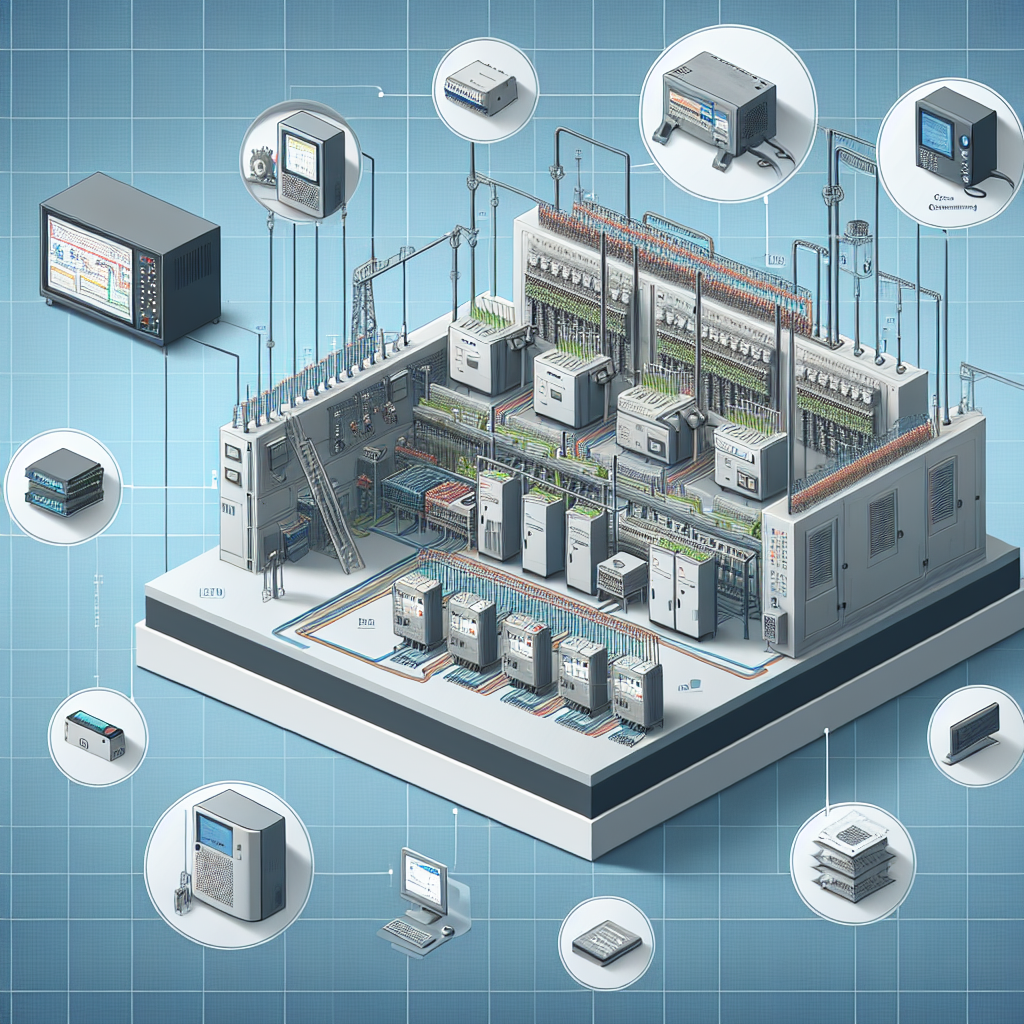
A SCADA system is like the brain behind modern industrial automation. It monitors, gathers, and processes real-time data, allowing you to keep an eye on the system’s performance and react quickly to any hiccups. Trust me, when you’ve got a well-designed SCADA system, you’ll notice an improvement in efficiency and reliability almost immediately.
Moreover, a good SCADA setup doesn’t just keep the wheels turning smoothly; it also saves you time and money in the long run. With all the data at your fingertips, you can make informed decisions and optimize your processes. Honestly, I think investing the effort upfront pays dividends. So, let’s break down the practical steps for building your own SCADA system.
Planning Your SCADA System
Assessing Your Needs
Before you even touch any hardware, understand what your facility needs from a SCADA system. Look at the processes you want to automate and the data you need to capture. Are you dealing with simple temperature monitoring, or do you have complex batching processes? Knowing this will guide your decisions later on.
The next step, and it’s crucial, is getting a handle on the scale of your SCADA system. Count your I/O points, both current and anticipated. For instance, if you’re running a facility with multiple production lines, you’ll want a system that scales easily without a hitch.
In my 15 years, I’ve seen engineers rush this phase, and it often leads to scaling issues down the line. You don’t want to end up like the time I had to retrofit an entire line because we underestimated the number of temperature sensors needed. That was a nightmare.
Defining System Requirements
Once you’ve assessed your needs, define the requirements clearly. It’s like building a house—blueprints matter. Will you need redundancy to ensure uptime? What about remote access for troubleshooting on the go? Consider future expansion too. You don’t want to rip everything out and start from scratch down the line.
From my experience, it’s wise to involve all stakeholders early, including operators, maintenance teams, and management. This helps in aligning the SCADA system with organizational goals and ensures everyone’s on the same page.
Funny enough, I’ve seen projects where ignoring the input of operators resulted in HMIs that made no sense to the people using them daily. This oversight led to delays and rework, which could’ve been avoided with a simple meeting at the start.
Hardware Selection and Setup
Choosing the Right PLCs and RTUs
Here’s where it gets interesting—picking the right hardware. In all honesty, it’s one of the most critical steps. You’ve probably heard of Siemens S7-1200 or Allen Bradley CompactLogix. These are popular for a reason—they’re reliable and have excellent support. Choose PLCs and RTUs that mesh well with your application needs.
For instance, if you’re working in harsh environmental conditions, opt for ruggedized models like the Siemens S7-1500. They’re built to withstand the heat and dust without blinking.
In a particularly dusty plant I worked at, the regular PLCs kept failing. Switching to rugged models saved us countless hours of downtime and frustration. Sometimes, spending a little more upfront can save you a lot down the road.
Network Infrastructure Considerations
Now, let’s talk networks. Whether you’re going with Profinet, Modbus, or something else, plan your network topology carefully. You want robust communication paths to avoid bottlenecks. Ensure your network has redundancy; trust me, it’s worth it when something goes wrong.
For instance, you can set up a ring topology with managed switches that support STP (Spanning Tree Protocol). This setup reroutes data almost instantly if a link fails.
Pro Tip: Always have a few extra Ethernet cables, like the Belden 9841, on hand for emergencies. You never know when you might need to swap a cable at 2 AM.
Software Configuration: Making It All Work
SCADA Software Options
Choosing the right SCADA software is like picking the right tool for a job. There are several options out there, from Wonderware to Ignition. In my experience, it’s crucial to select software that fits your specific needs, whether it’s ease of use, compatibility with existing systems, or budget constraints.
For instance, if you’re looking for a highly customizable platform, Ignition by Inductive Automation is a solid choice. It’s flexible and offers great support for scripting and third-party integration. On the other hand, if simplicity and a user-friendly interface are your priorities, Wonderware might be more your speed.
Furthermore, when selecting software, consider the training your team will require. I once saw a project where the team chose a complex system without accounting for training costs, which eventually led to inefficiencies as operators struggled to use the system effectively.
Diving into HMI Design
Now, onto the fun part—HMI design. A good HMI is intuitive and doesn’t require a manual to navigate. You want operators to glance at the screen and immediately understand what’s happening.
I once worked on a project where we used WinCC for HMI design. We kept the graphics clean and minimal, focusing on critical data points like temperature and pressure. The key is balance; too much information can overwhelm operators, while too little can leave them in the dark.
Ensure your SCADA system includes data logging and trend analysis capabilities. This is invaluable for troubleshooting and fine-tuning your process. With good data, you can track performance over time and identify areas for improvement.
Additionally, consider mobile HMI applications for remote monitoring. Many systems now offer apps that let you keep tabs on operations from anywhere. It’s like having the plant in your pocket.
By focusing on these areas, you’re setting the stage for a SCADA system that not only meets today’s needs but is ready for tomorrow’s challenges. Remember, the goal is a system that’s both powerful and user-friendly. Your operators will thank you, and your plant’s efficiency will improve noticeably.
Wiring and Installation Tips
Panel Wiring Best Practices
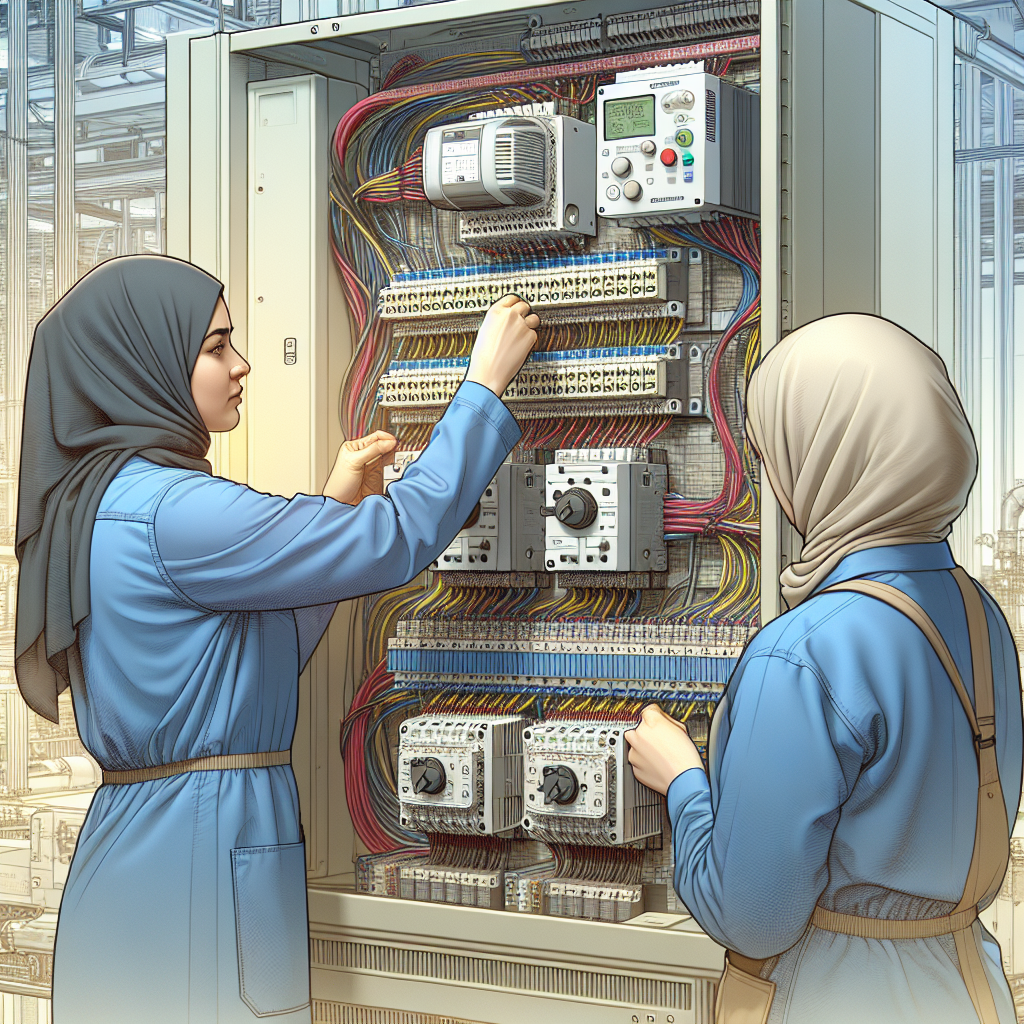
Wiring might seem straightforward, but trust me, it’s where many projects go haywire. I’ve seen my fair share of rats’ nests in control panels, and they’re not pretty. Here’s the thing: neat and organized wiring isn’t just for aesthetics. It makes troubleshooting a breeze and minimizes the risk of human errors. Use wire tags generously and keep your wiring tidy with trunking. Moreover, don’t skimp on quality ferrules and terminal blocks; they’re worth their weight in gold.
One time, I spent an entire day troubleshooting a panel that had wires haphazardly bundled together. It turned out a wire had broken internally due to stress. Ever since, I’ve made sure to follow these best practices.
VFD and Sensor Integration
Integrating VFDs and sensors into your SCADA system requires careful attention. VFDs, like the Siemens Sinamics G120 or Allen Bradley PowerFlex 525, need accurate parameter setup. Here’s where it gets interesting: incorrect settings can lead to erratic behavior or even damage to your equipment. Ensure your sensors are correctly calibrated and shielded from electrical noise. Use Belden 9841 cables for reliable data transmission and always ground your shields at one end to avoid ground loops.
In another job, a misconfigured VFD led to a motor running at twice its rated speed. It was a lesson in double-checking every setting, no matter how small.
Testing and Commissioning Your SCADA System
Initial Power-Up Checklist
Powering up your SCADA system for the first time is like a first date; you want everything to go smoothly. Create a detailed checklist that includes verifying power supplies, checking network configurations, and ensuring all devices are communicating. In my experience, a well-thought-out checklist can save you from frantic troubleshooting later on.
Honestly, the couple of hours you spend on a checklist can save you days of headaches. I once failed to check a power supply, which led to a long night shift troubleshooting what turned out to be a simple fix.
Debugging Common Issues
Now, testing isn’t complete without a few hiccups. Signal loss and device misconfigurations are frequent offenders. I remember one time spending hours trying to figure out why a PLC wasn’t talking to the SCADA. Turned out, the IP address was off by a digit! Double-check your addressing and communication settings. Use diagnostic tools like Wireshark to monitor network traffic and pinpoint issues.
Troubleshooting Tip: If you’re dealing with intermittent communication issues, consider checking the quality of your network cables and connectors. Sometimes, it’s as simple as a loose RJ45 connection.
Maintaining and Upgrading Your SCADA System
Routine Maintenance Procedures
A SCADA system isn’t a set-and-forget affair. Regular maintenance is crucial for long-term reliability. Schedule periodic backups of your configurations and databases. Similarly, physically inspect your panels for signs of wear or corrosion. Keep your software versions up-to-date; these updates often patch vulnerabilities and enhance performance.
One plant I worked at neglected software updates for years. When an issue arose, we found out the hard way that our version was no longer supported. Lesson learned: keep your software current.
Planning for Future Upgrades
The real trick is planning for scalability. As your plant grows, so should your SCADA system. Make sure your system architecture allows for easy integration of additional devices. Add expansion capabilities to your budget and keep abreast of new technologies. Check out resources from Siemens or Rockwell for the latest in SCADA advancements.
Consider adopting a modular approach. This will make future upgrades less disruptive and more straightforward. Trust me, your future self will thank you when the time comes.
Common Mistakes to Avoid
Even seasoned engineers can stumble when implementing a SCADA system. Here are some common pitfalls to watch out for:
- Skipping the Planning Phase: I’ve seen teams dive in without a clear roadmap. This leads to a system that doesn’t meet all operational needs or isn’t scalable. Take the time to plan thoroughly.
- Overlooking Training: A powerful SCADA system is useless if operators can’t use it efficiently. Ensure everyone knows how to interact with the system and troubleshoot basic issues.
- Poor Documentation: Document every step, from network configurations to HMI layouts. Good documentation saves time during troubleshooting and upgrades.
- Ignoring Security: Cybersecurity is a real threat. Implement firewalls, VPNs, and strong password policies to protect your SCADA system.
- Underestimating Maintenance: Regular checks and updates are vital. Neglecting them can lead to unexpected downtimes and costly repairs.
Frequently Asked Questions
What is the most common mistake when setting up a SCADA system?
Honestly, I think the most common mistake is improper planning. Engineers often jump into hardware and software setup without a solid plan. You need a detailed scope of work that maps out every part of your system, from sensors to HMI screens. Additionally, inadequate training for operators can lead to inefficiencies and errors.
How do I handle network security for my SCADA system?
Network security is a big deal these days. Implement firewalls and VPNs to secure your SCADA system from unauthorized access. Use strong passwords and regularly change them. Furthermore, segment your SCADA network from the rest of your corporate network to minimize vulnerabilities. Refer to guidelines from IEEE on industrial network security for more details.
Can I upgrade my SCADA system without downtime?
In most cases, yes, you can, but it requires careful planning. The key is to stage the upgrades. For instance, update software during off-peak hours or use redundant systems that allow you to switch over without affecting production. Always have a rollback plan in case something goes wrong.
How do I choose between different SCADA software?
It depends on your specific needs. Consider factors like ease of use, scalability, and integration capabilities. If your team is not tech-savvy, opt for software with a user-friendly interface. If customization is key, look for platforms like Ignition that allow scripting and third-party integration.
What should I do if my SCADA system is running slow?
First, check your network for bottlenecks. Use diagnostic tools to analyze traffic and ensure no hardware failures are causing issues. Sometimes, a simple reboot of your network devices or servers can resolve slow performance. If the problem persists, consider consulting your SCADA provider for expert diagnostics.
Key Takeaways for Building a SCADA System
Building a SCADA system is more than just piecing together hardware and software. It’s about thorough planning, meticulous wiring, and constant vigilance in maintenance. The key steps involve a solid plan, choosing the right hardware, and ensuring proper integration and testing. Common pitfalls include inadequate planning and ignoring maintenance, which can lead to costly downtime.
In conclusion, keep this checklist handy as you embark on your SCADA journey. And remember, the devil is in the details, so pay attention to the little things. If you run into trouble, don’t hesitate to reach out to your fellow engineers or check out more resources on industrialgyan.com. Happy automating!

I am an electrical & automation engineer with extensive experience in Design, PLC programming, SCADA development, and IoT integration. I have a strong background in the industry, focusing on the Design & Development of Hardware, Software &Industry 4.0 technologies, and the integration of intelligent manufacturing systems.
I have a deep understanding of electrical principles and am proficient in various programming languages, including Ladder Logic, Structured Text, and Python. In addition, I have experience with various PLC, SCADA & IoT technologies and a track record of successful integration projects for various clients.