

Introduction: Why SCADA Wiring Matters
If you’ve ever dealt with SCADA wiring issues on the plant floor, you know how frustrating they can be. Proper SCADA wiring is the backbone of system reliability. Trust me, when your production line comes to a standstill because of a wiring fault, the last thing you want is a maze of cables to untangle.
Here’s the thing: incorrect wiring can lead to communication errors, data loss, and even equipment damage. It’s not just about connecting point A to point B; it’s about ensuring that those connections are robust and clear. In my experience, one of the most common mistakes is mismatched cable types or incorrect terminations. These seemingly minor errors can snowball into major headaches.
I once spent a sleepless night at the plant because of a faulty SCADA cable connection. At 2 AM, with operations halted, I found myself crawling through cable trays, only to discover that a connector had worked its way loose. Not exactly my idea of fun. That’s why we’re diving into SCADA wiring diagrams today. Let’s make sure you avoid those late-night dramas.
Understanding SCADA System Basics
Before we get into the nitty-gritty of wiring, let’s understand what SCADA is. SCADA stands for Supervisory Control and Data Acquisition. It’s the system that lets you monitor and control industrial processes from a central location. Think of it as the eyes and ears of your plant’s operations.
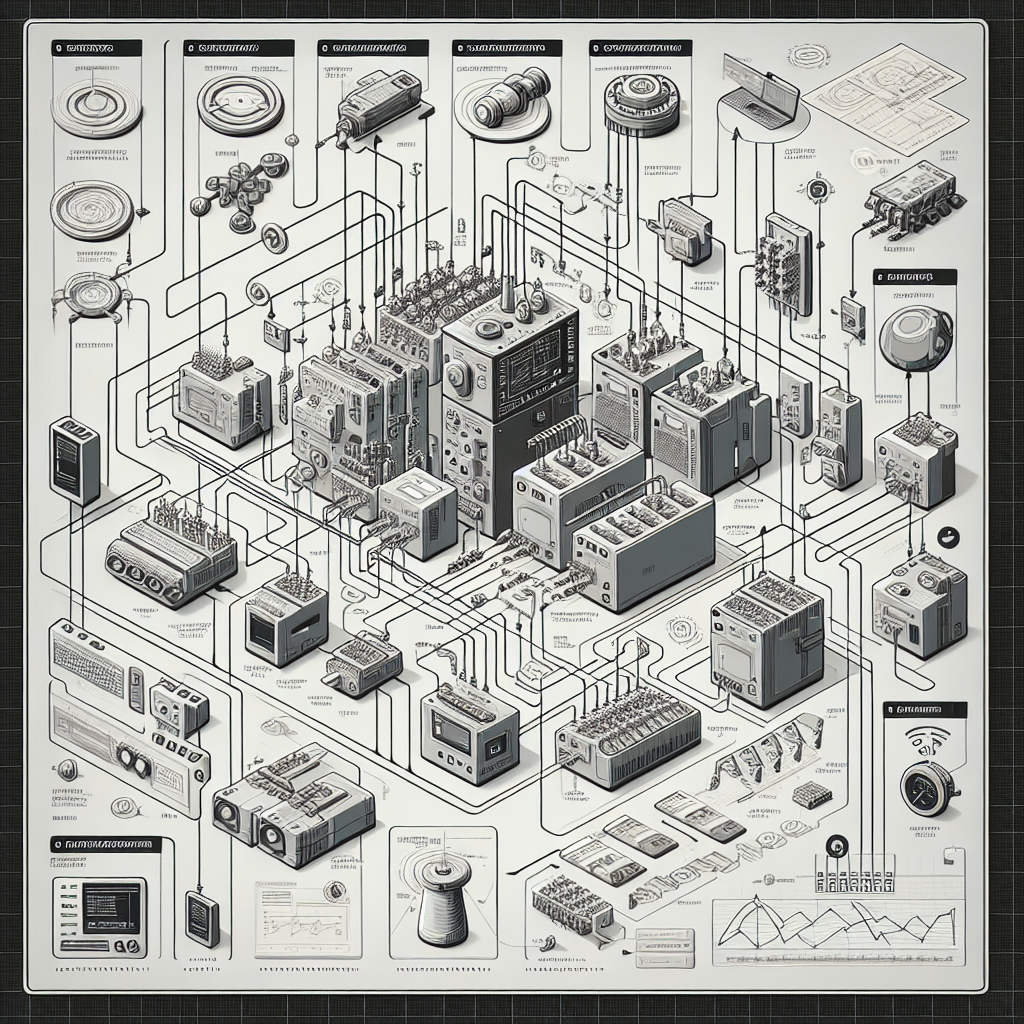
A typical SCADA system includes a variety of components: sensors, PLCs, HMIs, and networks. Each of these plays a crucial role. Sensors collect data from the field, PLCs process this data, HMIs display it, and networks ensure everything communicates seamlessly. Ever tried debugging a communication error between a Siemens S7-1200 and a ControlLogix? It can be a real headache.
These components are interconnected through wiring. The wiring connects sensors to PLCs, PLCs to HMIs, and all to the central computer. It’s like a well-choreographed dance, where each cable is a dancer in a complex ballet. I remember one site where a single miswired connection disabled the entire system. The culprit? A wrongly terminated Belden 9841 cable.
Fundamentals of Wiring Diagrams
Alright, now that we know the players, let’s talk about the playbook: wiring diagrams. Understanding these diagrams is critical for any automation engineer.
There are a few types of wiring diagrams you’ll come across: ladder diagrams, schematics, and single-line diagrams. Ladder diagrams use symbols to represent electrical circuits. They’re straightforward, which is why many engineers love them for simple control systems. But watch out for those hidden pitfalls; not every line is as clear-cut as it seems.
Schematic diagrams, on the other hand, show how components are connected without focusing on physical layout. They’re essential when you need to understand the logic and interconnections. I once used a schematic to identify a miswired sensor that was causing false alarms. Saved us a ton of downtime.
Single-line diagrams are like the Cliff Notes of wiring diagrams. They simplify and condense the information to provide an overview of what’s connected to what. For SCADA, you’ll likely deal with all three types at some point. However, to read these diagrams effectively, you need to know the symbols and notations.
Pro Tip: Always cross-reference your wiring diagrams with the actual layout. What’s on paper doesn’t always match reality, especially in older installations.
Step-by-Step Guide to Creating a SCADA Wiring Diagram
Ready to create your own SCADA wiring diagram? Let’s break it down step by step.
Planning the Layout
Before you even pick up a pencil, plan your layout. Identify where each component will be placed. Measure distances to know how much cable you’ll need. Think about future expansion. You don’t want to redo your wiring just because you forgot to leave space for another sensor or PLC.
Moreover, consider the environment. Is the area prone to high temperatures or moisture? You’ll need to choose materials that can withstand those conditions. I once had to replace an entire set of cables because we didn’t consider the plant’s humidity levels. That was an expensive lesson.
Selecting the Right Components
Next, select your components. Choose appropriate wire gauges based on current load. This is where engineering judgment comes into play. For instance, use a 16 AWG wire for low-current signals, but opt for something heavier if you’re dealing with power distribution.
Additionally, connectors matter. A good rule of thumb is to use RJ45 connectors for Ethernet, and DB9 for RS-232. But double-check the specifications of your devices. Don’t make assumptions. Trust me, a misstep here can cost you dearly in troubleshooting time later on. I’ve seen more than a few engineers get caught by this.
Drafting the Diagram
Once you have your layout and components, it’s time to draft your diagram. You can start on paper, but software like AutoCAD Electrical or EPLAN makes life easier. These tools offer libraries of standard symbols and let you adjust your diagram as the project evolves.
Furthermore, when drafting, keep it neat. Use consistent labeling and color-coding. This isn’t just for aesthetics; it’ll save you and your colleagues time when you’re searching for a specific cable amidst a tangled mess. In my 15 years, I’ve seen too many people get lost in their own wiring spaghetti.

Finally, review your diagram. Once it’s drafted, walk through it as if you’re the one who’ll be doing the wiring. Question everything. Does it make sense? Are there any potential pitfalls? This could save you a lot of hassle down the road.
From my experience, the real trick is in the details. Double-check every connection, every label, every assumption. It’s a tedious process, but one that pays off with a reliable SCADA system.
Common Mistakes to Avoid in SCADA Wiring
- Incorrectly Sized Wires: Using the wrong wire size can cause overheating and signal loss. Always check the current requirements and choose your wire gauge accordingly.
- Poor Grounding: Inadequate grounding can lead to noise and equipment damage. Ensure all components are properly grounded to avoid these issues.
- Labeling Errors: Failing to label your wires can result in confusion and wasted time during troubleshooting. Use clear, consistent labels from the start.
- Ignoring Environmental Conditions: Don’t overlook the operating environment. Choose materials that can withstand the conditions, whether it’s heat, moisture, or chemicals.
- Skipping Documentation: Comprehensive documentation is critical. It aids in future maintenance and helps new team members understand the system.
Practical Tips for Troubleshooting SCADA Wiring
So, you’ve got your SCADA system up and running, but now it’s throwing tantrums. What’s the plan? Let’s delve into the practical side of troubleshooting SCADA wiring.
Common Wiring Issues
SCADA wiring can be a tricky beast. I’ve seen it all — shorts, breaks, loose connections, and the occasional rodent-chewed cable. Shorts usually happen when wires touch where they shouldn’t, causing havoc in your system. Meanwhile, breaks can occur from physical damage or aging cables. Trust me, finding these can be like searching for a needle in a haystack.
Effective Troubleshooting Techniques
- Identifying Issues: Start by visually inspecting the wiring. Look for abrasions or discolorations that could hint at a short or break. In my experience, a simple visual scan often reveals more than you’d expect.
- Using Tools: Multimeters and continuity testers are your best friends here. They’ll help you check for continuity and detect shorts. Set your multimeter to continuity mode and test sections of the wire. If there’s a break, it’ll show an open circuit.
- Personal Anecdote: I once spent 3 hours debugging a Modbus timeout, only to discover a loose RS-485 terminal causing intermittent connections. A simple twist with a screwdriver saved the day.
Pro Tip: Sometimes, the issue isn’t in the wiring at all. Consider checking your PLC configurations or network settings if you’re hitting a wall.
Safety Considerations in SCADA Wiring
I can’t stress enough how important safety is when dealing with SCADA wiring. You’re not just dealing with low-voltage signals; some lines might carry higher voltages that pose real risks.
Firstly, always adhere to the safety standards and regulations like NFPA 70E or IEC standards. They’ll guide you on best practices. Potential hazards include electrical shock, fire risks, or data loss due to incorrect wiring.
Ensure you’ve got proper grounding and isolation. Loose grounds can cause noise issues or even damage equipment. And don’t forget to isolate high-voltage lines from low-voltage control wiring to prevent interference.
Frequently Asked Questions
What wire gauge should I use for SCADA systems?
For most SCADA systems, 18-24 AWG cables are common. The gauge you choose depends on the distance and the current the wire needs to carry. For larger installations, check the voltage drop and current requirements per your system specs.
How do I troubleshoot a SCADA wiring issue?
Start with a visual inspection, then use tools like a multimeter to check continuity and detect shorts. Break the system into sections to isolate the issue. Refer to your wiring diagrams and confirm connections match the design.
Can I use CAT5 cables for SCADA wiring?
Yes, you can use CAT5 cables for SCADA, especially for Ethernet-based networks. They’re great for data signals. However, ensure they meet the environmental conditions of your plant (e.g., temperature, humidity).
What are the common symbols in SCADA wiring diagrams?
Symbols vary, but some common ones include circles for junctions, squares for control panels, and lines for wiring paths. Always refer to the legend on your diagram for specifics.
How do I ensure my wiring meets safety standards?
Follow relevant codes like NFPA 70E or IEC standards. Regular audits and inspections help catch non-compliance early. Proper documentation and labeling also ensure safety and ease of maintenance.
What’s the difference between using RJ45 and DB9 connectors?
RJ45 connectors are typically used for Ethernet connections, offering fast and reliable data transmission. DB9 connectors are used for serial connections, like RS-232 or RS-485, suitable for legacy systems or specific communication protocols.
Is it necessary to use shielded cables in SCADA wiring?
It depends on your environment. Shielded cables help reduce electromagnetic interference, crucial in areas with heavy machinery or radio frequency interference. Always assess the noise level in your plant.
Key Takeaways for SCADA Wiring Diagrams
Good SCADA wiring isn’t just about neat connections; it’s about reliability and safety. Proper wiring minimizes downtime and boosts efficiency. Therefore, focus on creating clear, detailed wiring diagrams from the get-go.
Remember, always follow best practices: use the right tools, pay attention to detail, and keep safety at the forefront. In my experience, continuous learning is vital. Technology changes fast, and staying updated is crucial.
Finally, I encourage you to share your experiences, ask questions, and never hesitate to consult with colleagues or resources like industrialgyan.com or trusted manufacturers like Siemens.
Having wrapped up our dive into SCADA wiring, I’d love to hear about the challenges you’ve faced. Drop a comment below or reach out for a chai at the canteen. Let’s keep the conversation going!

I am an electrical & automation engineer with extensive experience in Design, PLC programming, SCADA development, and IoT integration. I have a strong background in the industry, focusing on the Design & Development of Hardware, Software &Industry 4.0 technologies, and the integration of intelligent manufacturing systems.
I have a deep understanding of electrical principles and am proficient in various programming languages, including Ladder Logic, Structured Text, and Python. In addition, I have experience with various PLC, SCADA & IoT technologies and a track record of successful integration projects for various clients.