

Introduction: Why PLC Programming Matters
If you’ve ever dealt with PLC programming issues on the plant floor, you know how frustrating they can be. Programmable Logic Controllers (PLCs) are the backbone of modern industrial automation. You’ll find them in everything from automotive assembly lines to food and beverage processing. They’re crucial because they allow us to automate complex tasks and improve efficiency.
I once spent an entire night at a pharmaceutical plant troubleshooting a malfunctioning PLC. It was an Allen Bradley ControlLogix, and the issue was causing a critical part of the production line to halt. After hours of testing, I discovered a subtle logic error in the program that was causing intermittent faults. Fixing it got the line back up and running, saving the company thousands in lost production time.
Industries like automotive, pharmaceuticals, and oil and gas rely heavily on PLCs to control operations. Without them, production would grind to a halt. This dependency highlights just how vital PLC programming is, making it a skill every industrial engineer needs to master.
Getting Started with PLC Programming
Choosing the Right PLC
When starting with PLC programming, the first step is choosing the right PLC for your project. There are several popular brands out there: Siemens, Allen Bradley, and Mitsubishi are among the leaders. Each has its strengths and is suited for different applications. For instance, Siemens S7-1200 is quite popular in Europe for small to medium applications, while Allen Bradley’s CompactLogix is a strong contender in North America for similar tasks.
The real trick is matching the PLC to your project’s requirements. You’ll need to consider factors like I/O count, communication protocols, and processing power. For example, if you’re working on a project that requires high-speed data acquisition, you might opt for a ControlLogix for its superior processing capabilities. Meanwhile, for a budget-conscious project, a Mitsubishi FX series might fit the bill.
I remember one site where we were limited by budget constraints. We went with a Mitsubishi FX3U. It was compact yet powerful enough for our needs, handling multiple I/O points with ease. It proved again that understanding your requirements and constraints is key when selecting hardware.
Basic Concepts and Terminology
Before diving into programming, familiarize yourself with some basic concepts and terminology. Ladder Logic, Function Block Diagram (FBD), and Structured Text (ST) are common PLC programming languages. Ladder Logic, resembling electrical relay logic, is often the starting point for its intuitive, graphical approach. FBD is great for systems involving complex interactions, while ST, akin to high-level programming languages, is excellent for mathematical algorithms.
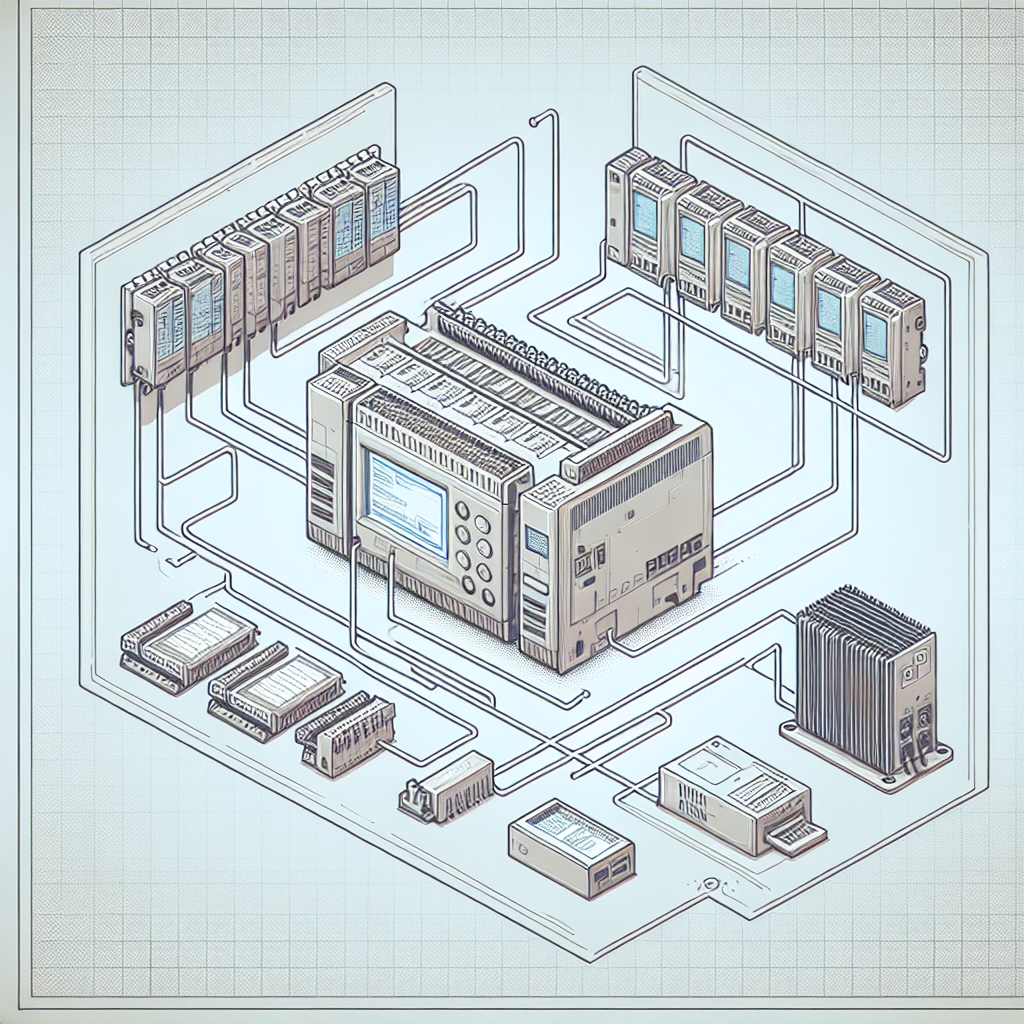
From my experience, understanding these concepts is crucial. They form the foundation of your PLC programming journey. As you choose your PLC, consider what language you’ll use based on your application’s complexity and the programmers’ expertise.
Programming Basics: Ladder Logic
Understanding Ladder Diagrams
Ladder Logic, with its roots in relay logic, remains a favorite among engineers for its straightforwardness. Imagine it as a schematic for relay circuits, but digital. When I first started, I found it reassuringly familiar, seeing symbols for contacts and coils that I knew from electrical diagrams.
Ladder Logic is about creating rungs (like those of a ladder), each representing a circuit. The PLC scans these rungs sequentially, which dictates the order of operations. It’s simple yet effective, especially for basic control systems.
I remember a particularly challenging task where a sequence of motors needed to start and stop in exact order to avoid mechanical damage. Ladder Logic allowed for clear sequencing and interlocking, preventing potentially costly mishaps.
Common Functions and Instructions
Now, let’s delve into some essential instructions you’ll encounter. The AND, OR, and NOT functions form the logic gates of your program. For instance, use the AND instruction to ensure two conditions are met before activating an output. Meanwhile, the OR instruction allows flexibility, activating the output if one of multiple conditions is met.
Timers are another critical component in Ladder Logic. Imagine controlling a conveyor belt — you might need a delay before it starts or stops. That’s where timers like TON (Timer On Delay) come into play. I once used a TON timer to control the delay in a material handling system, preventing jams by ensuring motors start in sequence.
Pro Tip: When using timers, always account for the scan cycle time of the PLC. It can influence timing precision.
Here’s a simple example: Consider a relay circuit where you need a light to turn on when a switch is pressed. In Ladder Logic, you can represent the switch and light as contacts and a coil, respectively. If the switch (contact) is closed, the light (coil) energizes.
Advanced Techniques: Structured Text and Function Blocks
When to Use Structured Text
Structured Text (ST) shines when you need to handle complex algorithms or mathematical computations. It’s like programming in C or Pascal, allowing more intricate logic than Ladder Logic. For instance, if you’re implementing a PID control loop or need to perform advanced data manipulation, ST is your go-to choice.
I’ve often found ST invaluable in projects where precise control is paramount. It allows concise expression of logic that would be cumbersome in Ladder Logic. However, remember that it requires a solid understanding of programming syntax to use effectively.
In one project, we had to implement a custom algorithm for temperature control. ST provided the precision and flexibility needed to meet strict regulatory standards.
Implementing Function Blocks
Function Blocks (FBs) are another powerful feature in PLC programming. They let you encapsulate frequently used logic into reusable blocks, simplifying your program. For example, if you’re controlling multiple valves with the same logic, you can create a Function Block for that logic and reuse it across your program.
Moreover, FBs help maintain consistency and reduce errors. In a water treatment plant project, I implemented a Function Block to control the dosing pumps, ensuring uniform operation across various sections of the plant. It saved time and made the system easier to troubleshoot.
From my experience: Using Function Blocks effectively can drastically reduce your programming time and improve reliability.

As you delve into these advanced techniques, consider the nature of your application. If repetitive tasks or complex algorithms are involved, ST and FBs are your best tools. They not only simplify programming but also enhance system maintainability and adaptability.
Common Mistakes to Avoid
Even the best engineers slip up. Here are some common mistakes I’ve seen and how to avoid them:
- Ignoring Scan Time: PLCs execute instructions in scan cycles. Long scans can cause delays. Optimize your code to avoid unnecessary loops and logic checks.
- Overlooking Data Types: Mismatched data types can cause runtime errors. Always double-check variable declarations and conversions.
- Inadequate Documentation: Future-proof your code by documenting every rung and block. Trust me, it’ll save you and others headaches down the line.
- Neglecting Safety Interlocks: Always integrate safety interlocks in your designs. They’re not just regulatory requirements; they prevent accidents.
- Sidelining Backups: Before making changes, backup current programs. Losing a day’s work is frustrating, but losing a plant’s operational plan is catastrophic.
Common Pitfalls and Troubleshooting in PLC Programming
Debugging Tips
When it comes to PLC programming, debugging can sometimes feel like trying to find a needle in a haystack. Trust me, I’ve been there. I once spent an entire afternoon chasing down a misconfigured timer that was throwing off an entire production shift. The real trick is to use your debug tools effectively. For instance, many PLCs offer a ‘watch’ window where you can monitor variable changes in real-time. This feature is your best friend—use it to track down errant values and logic misfires.
Tip: Frequently save your work and take snapshots of working code sections. It’ll make rollbacks easier if something goes wrong.
Avoiding Typical Errors
Misconfigured timers and incorrect addressing are two of the most common mistakes you’ll encounter. With timers, it’s crucial to double-check your time base and preset values. As for addressing, especially in Allen Bradley systems, always confirm your tag names and data types. Even a simple typo can lead to hours of head-scratching. Moreover, keep an eye on your array bounds; exceeding them can cause unexpected behavior in your program.
However, the right set of tools can make a world of difference. Software like Siemens TIA Portal or Rockwell’s Studio 5000 provides simulation features that allow you to test your logic before you go live. In my experience, these simulations have saved me numerous trips to the plant floor.
Real-World Applications and Case Studies
PLCs are the unsung heroes of many industrial setups. I’ve seen firsthand how a well-programmed PLC can transform operations. For instance, in one project, we implemented a Siemens S7-1500 to automate a bottling line. This change increased throughput by 25%, simply by optimizing the sequence and reducing downtime between cycles.
Furthermore, PLCs don’t just boost efficiency—they also enhance safety. I recall a case where we added safety interlocks using a Mitsubishi Q-series PLC. This not only minimized accidents but also ensured compliance with local safety regulations. Consequently, the plant saw a significant decrease in safety incidents.
Moreover, PLCs have a knack for making complicated processes more accessible. In a previous project, we integrated an Allen Bradley ControlLogix with a SCADA system to provide operators with real-time data visualization. This was a game-changer for decision-making and process control.
Frequently Asked Questions
What is the best PLC for beginners?
For those just starting in PLC programming, I personally recommend the Siemens S7-1200 or Allen Bradley’s MicroLogix. They’re user-friendly, well-documented, and have ample online resources to help you learn.
How do I start learning Ladder Logic?
Start with the basics—understand how electrical circuits work. Then, dive into some tutorials or online courses. Practice is key. Try building simple programs and gradually increase complexity as you gain confidence.
What software do I need for PLC programming?
It depends on the brand of PLC you’re using. Siemens uses TIA Portal, while Allen Bradley relies on Studio 5000. Both offer trial versions, so you can get a feel for them before committing.
How can I troubleshoot communication issues?
Check your cables and connectors first—RJ45, DB9, and so on. Use diagnostic tools to ping devices on the network. Software often has built-in diagnostic features, which can help you pinpoint where the communication breaks down.
Can PLCs integrate with SCADA systems?
Absolutely, and they do it quite well. Most modern PLCs support communication protocols like Modbus, Profinet, or Ethernet/IP, which are essential for effective SCADA integration.
Are there any open-source tools for PLC programming?
Yes, there are open-source options like OpenPLC. While not as robust as commercial software, they offer a great starting point for those interested in learning PLCs without initial software investment.
What’s the difference between hard-wired and soft-wired PLCs?
Hard-wired PLCs connect directly to physical inputs and outputs. Soft-wired systems use software tags to emulate digital and analog signals. Soft-wiring offers flexibility, especially in testing and simulation phases.
Key Takeaways and Quick Reference
When it comes to mastering PLC programming, practice is everything. Keep honing your skills with real-world projects and simulations. Always double-check your timers and addressing to avoid common pitfalls. Utilize the simulation tools provided by your programming software to debug before going live.
For a quick reference, here are some key tips:
- Timers: Verify time base and presets.
- Addressing: Keep tag names and data types consistent.
- Communications: Check all physical connections first.
- Software: Use simulation features to test logic.
- Documentation: Write clear comments and documentation.
Honestly, there’s always something new to learn in this field. So don’t just stop here. Dive into forums, attend workshops, and keep experimenting. The more you practice, the more you’ll master the art of PLC programming. And if you have questions or need further guidance, feel free to connect with the community at Industrial Gyan. Happy programming!

I am an electrical & automation engineer with extensive experience in Design, PLC programming, SCADA development, and IoT integration. I have a strong background in the industry, focusing on the Design & Development of Hardware, Software &Industry 4.0 technologies, and the integration of intelligent manufacturing systems.
I have a deep understanding of electrical principles and am proficient in various programming languages, including Ladder Logic, Structured Text, and Python. In addition, I have experience with various PLC, SCADA & IoT technologies and a track record of successful integration projects for various clients.