

Introduction: Why PLC Programming Can Be Tricky
If you’ve ever dived into PLC programming on the plant floor, you know it can be a real head-scratcher at times. There’s nothing like staring at a program that refuses to cooperate while production’s breathing down your neck. I’ve spent countless nights at 2 AM, hunched over a laptop trying to figure out why a perfectly logical sequence just won’t behave. And trust me, you’re not alone in this.
One of the biggest challenges with PLC programming is dealing with the diverse range of issues that can crop up. From software bugging out to unexpected hardware failures, it’s a minefield. In my early days, I remember tackling a problem where the PLC kept losing communication with the HMI. Turned out, it was a faulty Ethernet cable. I learned the hard way how crucial it is to have a solid grasp of both the programming aspects and the physical setup.
Mastering PLC programming isn’t just about avoiding these sleepless nights. It’s about driving efficiency and reliability in factory automation. With the right skills, you can transform how plants operate, making processes faster, safer, and more efficient. In today’s competitive industrial landscape, being proficient in PLC programming is not just a nice-to-have; it’s essential. After all, your ability to troubleshoot and optimize can significantly impact production uptime and quality.
Understanding the Basics of PLC Programming
What is a PLC?
At its core, a Programmable Logic Controller (PLC) is the heart of industrial automation. It’s designed to handle the rugged environments of factories and perform discrete or continuous control tasks. Unlike traditional control systems that use complex relay logic, PLCs offer flexibility and precision.
Key Components and Architecture
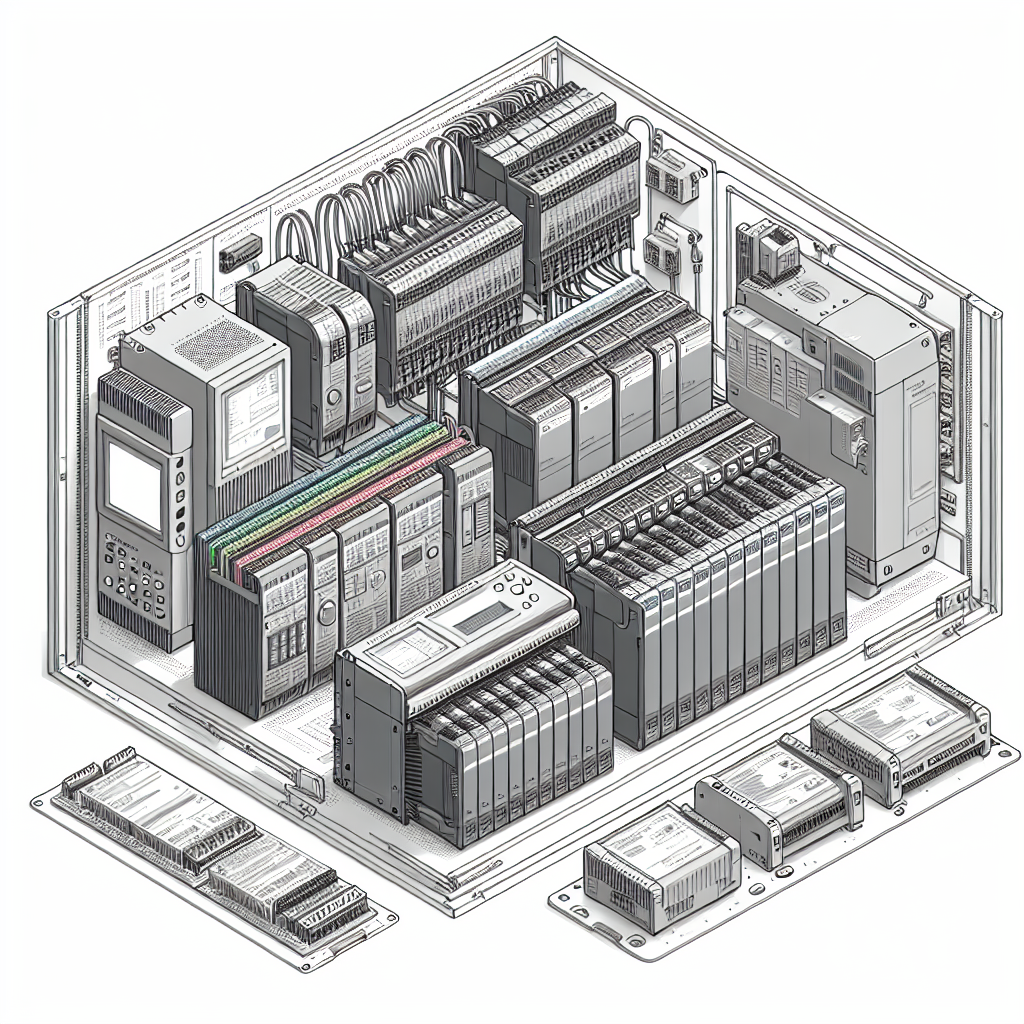
A PLC is made up of several key components. The CPU is the brain of the operation, executing control instructions based on the program you’ve loaded. Then there are the I/O modules, which interface with the field devices—sensors and actuators—allowing the PLC to monitor and control the process. Lastly, the power supply keeps everything running smoothly.
The architecture of a PLC is quite different from traditional control systems. It uses a central processing unit to interpret inputs and execute logic, which is more efficient than the extensive wiring required for relay-based systems. Moreover, PLCs can be easily reprogrammed to adapt to process changes, making them incredibly versatile.
Popular PLC Programming Languages
Ladder Logic
When it comes to PLC programming languages, Ladder Logic is perhaps the most familiar to many engineers. Modeled after relay logic diagrams, it uses symbols like contacts and coils to create control circuits. This makes it intuitive for those with an electrical background. However, its simplicity can sometimes be limiting, especially for complex calculations or data handling tasks.
In one instance, we had a complex sorting conveyor application that required more than basic contact logic. Initially, I tried to squeeze every bit of functionality into Ladder Logic, which led to a messy and hard-to-follow program. Switching to a mixed-language approach with some Structured Text (ST) greatly simplified the task.
Structured Text
Structured Text (ST) is a high-level language similar to Pascal or C. It’s particularly powerful for mathematical computations and data manipulations. I personally prefer ST when dealing with complex algorithms or when the program requires a lot of conditional logic. However, it can be less intuitive for beginners than Ladder Logic.
For instance, when working on a blending system that required precise ratio calculations, ST was the go-to choice. The syntax allowed for clear and concise expression of the mathematical relationships, which would have been cumbersome in Ladder.
Function Block Diagram
Function Block Diagram (FBD) is a graphical language that represents the function between input and output variables. It’s ideal for continuous process control and analog signal processing. Additionally, it’s often used in process industries where the relationships between variables are best represented graphically.
These languages are part of the IEC 61131-3 standard, which standardizes programming languages for PLCs. Each language has its own strengths and is suited to different types of applications. Choosing the right tool for the job is crucial to efficient PLC programming.
Setting Up Your PLC Environment
Hardware Preparation
Before you even start programming, you’ve got to get the hardware setup right. This means ensuring your PLC and all connected devices are correctly powered and wired. It’s a simple step, but I’ve seen seasoned engineers overlook it in a rush. Use quality cables like Belden 9841 for communications to avoid headaches down the line.
I remember a project where a simple oversight in grounding led to intermittent signal issues. Once we corrected the grounding, the system ran flawlessly. Double-checking these basic setups can save you from a lot of frustrations.
Software Tools
Once the hardware is set, it’s time to dive into the software. Whether you’re using Siemens TIA Portal or RSLogix 5000, knowing your way around these tools can make a world of difference. TIA Portal, for example, is fantastic for integrating Siemens hardware and offers a user-friendly interface. On the other hand, RSLogix 5000 is tailored for Rockwell Automation platforms and provides a robust environment for creating detailed programs.
Pro Tip: Always ensure your software is up to date to avoid compatibility issues and take advantage of the latest features.
Another tip for a smooth setup is to keep your software licenses organized and backed up. Nothing’s worse than being locked out of your software during a critical update because you can’t find your license key.

Common Mistakes to Avoid
Let’s talk about some common pitfalls in PLC programming that can trip you up if you’re not careful.
Misconfigurations
First off, misconfigurations are a major headache. You know the drill — one wrong parameter and nothing works. I remember spending hours trying to figure out why a conveyor wouldn’t start, only to find I’d missed setting a speed reference. It happens to the best of us.
Overlooking Network Protocols
Furthermore, overlooking network protocols is a frequent issue. I’ve lost count of how many times Profinet settings were ignored only to find out that they’re the reason devices aren’t communicating. Trust me, understanding your network’s requirements is crucial for smooth operation.
Frequent Programming Errors
Now, let’s talk about frequent programming errors. Things like mismatched data types or forgotten end instructions seem small but can disrupt your entire system. The impact here is delays in production and lots of head-scratching. Therefore, taking the time to review your code thoroughly can save you a lot of trouble.
Documentation Neglect
Neglecting documentation is another common mistake. When you or someone else revisits the program weeks or months later, clear comments and diagrams can be invaluable. I’ve been caught more than once trying to recall why a specific piece of logic was implemented.
Ignoring Safety Protocols
Lastly, ignoring safety protocols can be downright dangerous. Always ensure that emergency stops and safety interlocks are correctly programmed. I’ve seen projects delayed because safety systems weren’t fully integrated, leading to regulatory hurdles.
Troubleshooting PLC Programs
Let’s talk about troubleshooting — a skill that can really save your bacon when things go sideways. Diagnosing faults often begins with understanding what went wrong. For me, the first step is always checking power and communication indicators. You’d be surprised how many issues are simply a disconnected cable or a tripped breaker.
When it comes to debugging techniques, I swear by online monitoring. Watch your variables in real-time; it’s like having a conversation with your PLC. This can pinpoint where your logic is failing. Another trick is using debug bits to track which part of the program is running. It’s like leaving a breadcrumb trail for yourself.
Let me share a real-world troubleshooting case. I once dealt with a system where a motor wouldn’t stop. After reviewing the logic, I realized a latch wasn’t reset under certain conditions. Added a simple rung to reset it, and voilà, problem solved. It’s about methodical checking and not panicking.
Consequently, a structured approach to troubleshooting can save you both time and frustration. Always start with the simple stuff — power, connections, and basic error codes. Work your way up to more complicated issues like software bugs or hardware failures.
Here’s a troubleshooting tip: If your PLC seems to be functioning correctly but a process isn’t behaving, it might be an external device issue. Check field devices and their connections thoroughly.
Maintaining and Updating PLC Systems
You can’t just set it and forget it. Regular maintenance practices are vital for your PLC systems. I recommend scheduling monthly inspections to check for loose connections, overheating, or any physical damage. These little routine checks can prevent bigger disasters down the line.
Software updates and version control are another beast altogether. I can’t stress enough the importance of keeping your software up-to-date. Manufacturers release updates for a reason, be it security improvements or bug fixes. Ignoring them can leave your system vulnerable to failures or even cyber threats.
In terms of version control strategies, keep a detailed log of changes. You’ll want to know who made what change and when. This can be a lifesaver when troubleshooting, as it helps track down when a potential issue was introduced.
Ultimately, a well-maintained PLC system not only runs more efficiently but also reduces unexpected downtimes. Stay proactive rather than reactive, and you’re already ahead of the game.
Frequently Asked Questions
What are the most used PLC programming languages?
Well, the most common ones you’ll encounter are Ladder Logic, Structured Text, and Function Block Diagram. Ladder Logic mimics relay logic diagrams, making it intuitive. Structured Text is like high-level programming languages, great for complex calculations. Function Block Diagram works like a flowchart, useful for processes.
How do I choose the right PLC for my project?
Consider the I/O count, processing speed, communication protocols, and integration capabilities. If you’re working with Siemens systems, for example, sticking with S7-1200 or S7-1500 might offer seamless integration. Analyze your project’s specific needs to make an informed choice.
What are the best practices for PLC wiring?
Use shielded cables like the trusty Belden 9841 for signal lines to avoid interference. Keep power and signal cables separate to minimize noise. Label everything clearly, and use proper terminal connectors like RJ45 or DB9. It makes troubleshooting so much easier, believe me.
How can I improve my PLC troubleshooting skills?
Practice, practice, practice. Work on simulations to hone your skills. Pay attention to error messages and understand their meanings. Join forums, and ask for help from experienced colleagues. In my experience, the more you troubleshoot, the better you get at it.
When should I consider upgrading my PLC system?
If your system is consistently failing or cannot support new protocols and devices, it’s time to upgrade. Additionally, if your PLC is no longer supported by the manufacturer, like some older models, consider upgrading to ensure continued reliability and support.
Key Takeaways for PLC Programming
So, what’s the bottom line here? Recap of important points: Understand your PLC’s programming language, stay on top of network protocols, and always double-check your configurations. These simple steps can save you from a lot of headaches.
Final tips: Never underestimate the power of regular maintenance and updates. Keep learning — technology is always evolving, and so should your skills. Stay curious and engaged, and you’ll find PLC programming less daunting over time.
Honestly, I think you’ll find that with persistence and a willingness to learn, you’ll become quite adept at PLC programming. So get out there, keep practicing, and don’t shy away from asking for help. We’re all learning here, and that’s the exciting part!

I am an electrical & automation engineer with extensive experience in Design, PLC programming, SCADA development, and IoT integration. I have a strong background in the industry, focusing on the Design & Development of Hardware, Software &Industry 4.0 technologies, and the integration of intelligent manufacturing systems.
I have a deep understanding of electrical principles and am proficient in various programming languages, including Ladder Logic, Structured Text, and Python. In addition, I have experience with various PLC, SCADA & IoT technologies and a track record of successful integration projects for various clients.