

Introduction: Why PLC Programming Commands Matter
If you’ve ever faced PLC programming challenges during a late-night production run, you know how critical it is to get things right. Efficient PLC programming commands aren’t just about making systems work—they’re about making them work better, faster, and more reliably. In industrial automation, where every second counts, mastering these commands can make all the difference.
However, programming these little giants comes with its own set of challenges. From deciphering obscure error codes to wrestling with poorly documented legacy systems, engineers often find themselves stuck. I remember once wrestling with an Allen Bradley ControlLogix PLC that refused to handshake with a Profinet device. Turned out, a single typo in the configuration was the culprit. These are the kinds of hurdles you’ll want to overcome efficiently.
Here’s what we’ll cover: We’ll start with the basics of PLC programming commands, diving into Ladder Logic and Structured Text. Then, we’ll explore some advanced commands that can streamline your troubleshooting and enhance your programming skills. Finally, we’ll look at real-world applications, including safety systems and production line optimization. So grab a chai, and let’s jump in.
Basic PLC Programming Commands You Need to Know
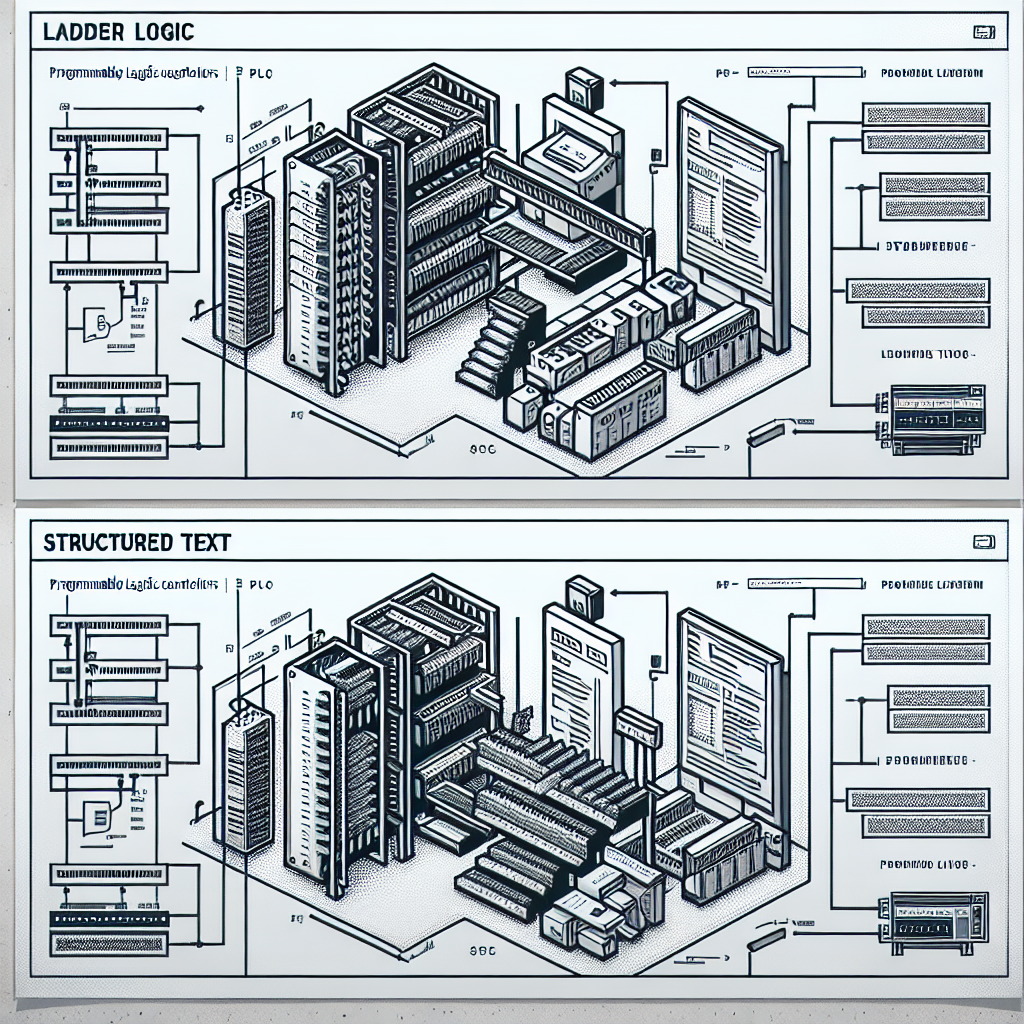
Ladder Logic Essentials
Ladder Logic is pretty much the bread and butter of PLC programming. It’s the first language most of us learn, and for a good reason. Its visual format mirrors electrical schematic diagrams, making it intuitive for engineers transitioning from traditional relay logic.
In my experience, Ladder Logic is particularly effective for straightforward control tasks, where visualizing the logic flow can prevent errors. For instance, when programming a simple motor starter circuit, Ladder Logic allows you to easily see how inputs like start buttons and safety interlocks control outputs such as motor contactors.
I once spent an entire afternoon trying to figure out why a simple conveyor system wouldn’t start. After hours of scratching my head, it turned out the problem was a rung that was mistakenly left in the normally closed state instead of normally open. Ladder Logic’s visual nature made it easy to spot once I looked at it with fresh eyes.
Structured Text Basics
Now, for more complex applications, you’ll want to get comfortable with Structured Text (ST). It’s like C or Pascal for PLCs, allowing for complex math operations and conditional statements that Ladder Logic can struggle with.
Structured Text is ideal for applications that require intricate calculations or decision-making logic. For example, in a batching system where precise ingredient ratios are critical, ST lets you use complex algorithms to maintain product quality.
There was a time at a food processing plant where we needed to calculate the exact amount of ingredients down to the gram. Ladder Logic just didn’t cut it. Using ST, we nailed the calculations, ensuring consistency and zero wastage. That batch of cookies was perfect every time!
Commonly Used Instructions
When it comes to frequently used instructions, timers and counters are your best friends. They’re essential for tasks like debouncing a signal or counting parts on a conveyor. In Siemens S7-1500, you’d typically use TON (Timer On Delay) or CTU (Counter Up) instructions.
Pro Tip: Timers can be tricky. Always double-check your time base settings. I once debugged a system that wouldn’t start because the timer was set to milliseconds instead of seconds.
Additionally, don’t overlook arithmetic operations. They’re crucial for scaling analog inputs or performing unit conversions, which you’ll often encounter in process automation.
Advanced PLC Commands for Efficiency and Troubleshooting
Function Block Diagram (FBD)
Function Block Diagram (FBD) is a graphical language used for modular programming. It’s excellent for creating repeated logic blocks, which you can use and reuse across different parts of a system.
I personally prefer FBD when dealing with HVAC systems. You can encapsulate logic for individual VFDs or compressors into blocks. This modularity not only simplifies programming but also makes troubleshooting a breeze. If one block’s acting up, you can zero in on that part without disrupting the entire system.
At one plant, we had to control a series of pumps with varying speeds. FBD allowed us to create a standard pump control block that was replicated across multiple devices, saving time and ensuring uniformity. It also made training the maintenance guys a lot easier.
Sequential Function Charts (SFC)
Sequential Function Charts (SFC) shine when it comes to process control. They let you break down a process into discrete steps, which can be logically controlled. This sequential approach is perfect for batch processing or state machines.
A colleague once used SFC to program a bottling line. With SFC, they easily laid out the sequence from filling to capping to labeling, ensuring each step completed before the next began. This not only optimized the process but also reduced downtime.
Moreover, advanced commands are invaluable for troubleshooting. They let you isolate issues quickly and efficiently. For instance, using indirect addressing can help pinpoint problems in large datasets without manually sifting through tons of data.
Real-World Application: Common Scenarios
Programming for Safety Systems
Safety is paramount in any industrial setting. Using PLC programming commands to implement safety interlocks can prevent accidents and ensure compliance with safety standards.
For example, incorporating safety relays and emergency stop circuits into your PLC program using Ladder Logic can ensure that machinery stops immediately in case of an emergency. In Siemens PLCs, using fail-safe modules with safety-oriented programming blocks adds an extra layer of reliability.
I remember a scenario where a safety PLC saved the day. An operator mistakenly initiated a manual override while a conveyor was running hot. Thanks to the PLC’s fail-safe logic, the system immediately halted, preventing a potential fire and keeping the plant and personnel safe.
Optimizing Production Lines
Optimizing production lines involves more than just speeding things up. It’s about making processes more efficient and reducing waste. PLC programming plays a vital role here.
For instance, by utilizing PID loops in an Allen Bradley CompactLogix PLC, you can maintain optimal temperature and pressure conditions in a chemical process, ensuring quality and reducing scrap. Similarly, using real-time data and analytics, you can adjust production rates on-the-fly to match machine capabilities and demand fluctuations.
From my experience: A well-tuned PID loop can be the difference between smooth operation and a maintenance nightmare.
We’ll dive deeper into these topics and explore case studies of successful implementations in the second half of this article. Stay tuned.

Troubleshooting Tips: When Things Go Wrong
Let’s face it, no matter how skilled you are at PLC programming, things can still go awry. I remember a time I spent half the night chasing down a problem that turned out to be a missing semicolon. Annoying, right? Here’s how you can save yourself some headaches.
Debugging Common Errors
First, when dealing with syntax and logic errors, you need a systematic approach. I usually start with the basics: double-check your syntax for typos and ensure your logic flows as intended. Use debugging tools in your PLC software, like Siemens TIA Portal or Rockwell Studio 5000, for breakpoints and step-through options. These features can highlight exactly where your code’s logic is tripping up.
Additionally, always keep a test PLC on hand. It’s invaluable for replicating issues in a controlled environment. I’ve seen too many engineers troubleshoot directly on live systems—trust me, that’s a risky move.
Preventing Communication Issues
Now, communication issues can be a real pain. I’ve had my share of headaches with Modbus and Profinet networks not playing nice. A common pitfall is misconfigured IP settings. Always verify your network configuration and ensure devices are speaking the same language. Furthermore, invest in quality cables like Belden 9841 for RS-485 to minimize electrical noise interference.
Real-life troubleshooting is like detective work. I once found a comms issue was due to a loose RJ45 connector that had us scratching our heads for hours. Sometimes, it’s the simplest things.
Troubleshooting Tip: Always start with the obvious. Check power sources, examine device statuses, and don’t overlook a simple cable test. Loose connections account for so many issues.
Common Mistakes to Avoid
- Ignoring Documentation: Skipping documentation can lead to future headaches. Always keep notes on changes and configurations.
- Improper Addressing: Misconfigured I/O addresses can cause chaos. Double-check addresses before deployment.
- Overusing Global Variables: While they make access easy, they also make debugging difficult if overused. Use local variables where appropriate.
- Ignoring Error Handling: Always use error handling routines. They’re your first line of defense against unexpected issues.
- Not Backing Up Code: Always maintain a backup of your latest working code. You’ll thank yourself after a failed update.
Best Practices for Efficient PLC Programming
Look, efficient PLC programming isn’t just about writing code that works; it’s about making it maintainable and understandable for others who come after you.
Standardizing Code for Readability and Maintenance
Think about future you or your colleagues. Standardize your code with clear naming conventions and consistent formatting. This makes your code a breeze to navigate. For instance, always comment your rungs and sections — future you will thank present you when revisiting the program after a few months.
At one plant, poor documentation resulted in a frantic scramble to understand a legacy program when a critical update was necessary. Avoid that chaos by being proactive with your documentation.
Version Control and Documentation Tips
For version control, I personally swear by using Git to keep track of changes. It’s not just for software developers; it’s a lifesaver in automation too. Moreover, document changes meticulously. A quick note on what you modified and why can prevent headaches down the line.
Additionally, maintain a changelog. This simple practice can save hours during troubleshooting by providing a quick history of what’s been done to a system.
Continuous Learning
Additionally, never stop learning. PLC technology evolves, and so should you. Attend webinars, take online courses, or join forums where engineers share insights. This way, you stay ahead of the curve and bring innovative solutions to the table.
Engage with professional communities. You’d be surprised how often solutions to your problems are discussed in online forums and networking events.
Frequently Asked Questions
What are the most common mistakes in PLC programming?
Common mistakes include improper addressing, ignoring error handling, and poor documentation. These lead to hard-to-find bugs and make maintenance a nightmare. Always double-check addresses and implement robust error handling to catch potential issues before they escalate.
How can I improve my PLC programming skills?
Practice is key. Work on real-world projects and simulate different scenarios. Additionally, learn from online resources, attend workshops, and collaborate with other engineers. Sharing experiences can offer new perspectives and solutions.
What tools are recommended for PLC programming?
The tools depend on your PLC brand. For Siemens, TIA Portal is the go-to, while Rockwell users rely on Studio 5000. Mitsubishi programmers often use GX Works. Moreover, simulation tools and network analyzers are invaluable for testing and debugging.
How do I choose the right PLC for my application?
Consider factors like system complexity, I/O requirements, network compatibility, and budget. Research different PLC brands and models, and consult with vendors to find the best fit. Don’t forget to think ahead about scalability and future integration needs.
Can PLCs handle multiple tasks simultaneously?
Yes, they can. Most modern PLCs support multitasking with different priority levels for tasks. However, careful scheduling and understanding the processing limits of your specific PLC model is crucial to avoid overloading.
How important is simulation in PLC programming?
Simulation is crucial for testing your programs without risking real-world equipment. It allows you to debug logic and ensure everything functions as expected before going live. A good simulation setup can save you from costly mistakes.
Are there any certifications that can help advance my PLC career?
Certifications from organizations like the International Society of Automation (ISA) or specific PLC manufacturer certifications can enhance your credibility and open up new opportunities. They demonstrate your commitment to professionalism and expertise.
Key Takeaways: Quick Reference for Engineers
Here’s the thing, mastering PLC programming is a journey. Remember to standardize your code and leverage version control. Keep your code readable for those who come after you.
When troubleshooting, start simple and work systematically. Keep a checklist handy: check syntax, validate logic, ensure proper communication settings, and verify physical connections. Trust me, this saves time.
Finally, never stop learning. Stay updated on industry trends and technology advancements. This not only makes you a better engineer but also keeps you competitive in the industry.
Conclusion
So, there you have it. PLC programming may seem daunting at first, but with the right strategies and mindset, you’ll become a pro in no time. Remember, the key is to keep learning, stay organized, and don’t be afraid to ask for help when needed. If you’ve got questions or want to share your own tips, head over to the community section of industrialgyan.com and join the discussion. You might just find the answer you’re looking for or help another engineer out. Happy programming!

I am an electrical & automation engineer with extensive experience in Design, PLC programming, SCADA development, and IoT integration. I have a strong background in the industry, focusing on the Design & Development of Hardware, Software &Industry 4.0 technologies, and the integration of intelligent manufacturing systems.
I have a deep understanding of electrical principles and am proficient in various programming languages, including Ladder Logic, Structured Text, and Python. In addition, I have experience with various PLC, SCADA & IoT technologies and a track record of successful integration projects for various clients.