

Picture this: it’s 3 AM on the plant floor. Machines are humming, operators are monitoring displays, and suddenly, everything stops. Complete silence. The SCADA system has gone down. This isn’t just a minor inconvenience; it’s a crisis. Production halts, and every minute translates into significant financial loss. I remember vividly a time when a misconfigured SCADA system at a client site led to such a scenario. It took us hours to identify that a single misconfigured communication parameter was the culprit. This is why configuring your SCADA system properly is critical. Trust me, you don’t want to be in that 3 AM situation.
Why SCADA Configuration Matters
SCADA systems are the backbone of modern industrial operations. They monitor, control, and optimize complex processes in real-time. A well-configured SCADA system ensures smooth monitoring, precise control, and quick response to any anomalies, minimizing downtime and maximizing productivity.
Proper SCADA configuration directly influences system efficiency and reliability. When every parameter is set right, and communication pathways are clear, your operations flow seamlessly. Conversely, small misconfigurations can lead to significant issues, like incorrect data readings or even system failures. This is not about having a fancy system; it’s about ensuring reliable and efficient operations.
Pro Tip: Always double-check your configurations before going live. A small oversight can snowball into a big issue.
In my experience, the most common misconfigurations arise from rushed setups or lack of thorough testing. Once, during a project, an overlooked setting in the HMI configuration led to a two-hour production downtime. The real trick is to take the time upfront to configure correctly and test thoroughly.
Getting Started with SCADA Systems
Understanding SCADA Architecture
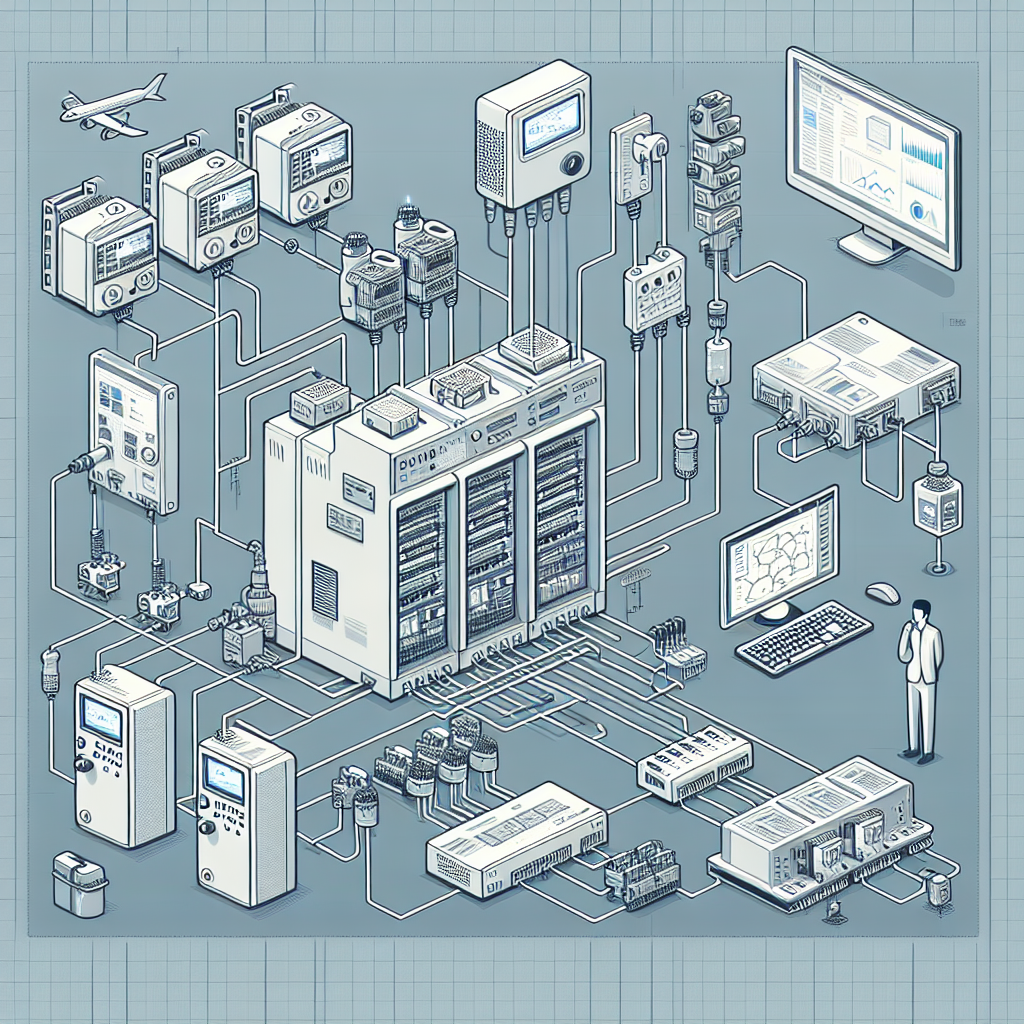
Before diving into SCADA configuration, you need a solid grasp of its architecture. SCADA systems typically include PLCs, RTUs, HMIs, and the communication network that ties everything together. PLCs and RTUs gather data from field devices like sensors and actuators, while HMIs provide operators with a visual interface to control processes.
Here’s the thing: understanding each component’s role is crucial because it helps you configure the system effectively. For instance, knowing how your Siemens S7-1500 PLC interfaces with the rest of the system can prevent a lot of headaches later on.
Essential Components of SCADA Systems
The essential components of a SCADA system include:
- Sensors and Actuators: These devices gather real-world data and affect changes as needed.
- PLCs and RTUs: They process data from the field devices and execute control actions.
- HMIs: These are crucial for providing operators with an interface to interact with the system.
- Communication Interfaces: These ensure seamless data flow between different components.
Different SCADA software platforms like Ignition, Wonderware, and Siemens WinCC offer various features and flexibility. Choosing the right one depends on your operation’s specific needs.
Now, I’ve worked with each of these platforms over the years, and I’ll be honest, each has its strengths. Ignition is great for customization, Wonderware is user-friendly, and WinCC integrates seamlessly with Siemens hardware.
Configuring Communication Networks
Wired vs. Wireless Networks
Choosing between wired and wireless networks is crucial for SCADA configuration. Wired networks, often using Ethernet, offer speed and reliability but can be costly to install and maintain. Wireless networks provide flexibility and lower installation costs but may face interference issues.
Here’s where it gets interesting: while wired networks are stable, I’ve seen wireless networks come to the rescue in challenging environments. At a plant with tight spaces and constant reconfiguration needs, going wireless was a game-changer.
Protocols: Modbus, Profinet, DNP3
Choosing the right communication protocol is another critical aspect. Modbus is widely used due to its simplicity and ease of implementation. Profinet offers high-speed data exchange, ideal for time-critical applications. DNP3 is designed for telemetry applications in utilities.
From my experience: Always consider the environment and application requirements when selecting a protocol. It can save a lot of headaches later.
I’ve had my share of late-night troubleshooting sessions, particularly with Profinet networks. One memorable occasion involved a network failure at 2 AM. After hours of debugging, it turned out to be a simple cable issue compounded by a faulty switch. Therefore, always ensure you have reliable hardware and proper network setup.
Troubleshooting network issues often involves checking physical connections first, followed by protocol configurations. In my experience, most problems stem from improper cabling or incorrect parameter settings. So, always keep a keen eye on these details during SCADA configuration.
Now, let me tell you about a time at a beverage plant where a single missed firmware update on a Profinet device caused a cascade of communication errors. We lost precious hours hunting down the issue, which brings me to emphasize the importance of keeping all devices updated.
SCADA Software Configuration
Setting Up the HMI
The HMI is your operators’ window into the system. Configuring it for user-friendly operation involves organizing data logically and ensuring intuitive navigation. Use clear graphics and labels, and keep screens clutter-free to enhance usability.
Moreover, ensure the HMI provides the right level of detail. Too much information can overwhelm operators, while too little can leave them blind to critical issues. It’s about finding a balance that suits your operation.
In one instance, I recall an HMI setup where every possible data point was displayed. It looked impressive on paper but was practically unusable. We had to strip it down to essentials and arrange it logically. Operators need clarity, not chaos.
Data Logging and Alarming
Setting up data logging is crucial for historical analysis and troubleshooting. Ensure your SCADA system logs key parameters at appropriate intervals. This data can be invaluable for trend analysis and diagnosing past issues.
Alarms are equally critical. Configure them to alert operators of critical conditions promptly. Use distinct tones and colors for different severity levels to avoid confusion. In my experience, a well-configured alarm system can significantly increase the response time to issues, minimizing potential downtime.
For instance, at a chemical plant, we had an incident where alarms were triggering incessantly due to overlapping settings. A simple reconfiguration using priority levels helped operators focus on what truly mattered.

In summary, getting SCADA configuration right requires meticulous attention to detail and a thorough understanding of both the hardware and software aspects. As always, testing and validation are your best friends. For more insights and tips on SCADA systems, check out our other articles on Industrial Gyan.
Testing and Validation
Simulation Tools
Before you roll out your SCADA configuration on the plant floor, it’s a good idea to take advantage of simulation tools. These allow you to test your configurations in a controlled environment. Tools like Siemens SIMIT and Rockwell’s Logix Designer emulate real-world scenarios without risking downtime. I once used SIMIT to debug a complex Profinet setup, saving countless hours and avoiding potential field issues.
Simulation tools, in my opinion, are priceless. I remember a situation where we identified an error in logic that would have led to a full-stop scenario during peak production. Catching it in simulation saved us a massive headache.
Real-World Testing
However, simulation isn’t the end-all. Real-world testing is crucial to ensure system reliability. Once your configuration passes the simulation phase, deploy it in a test area or during a controlled shutdown. Look, in my experience, this step verifies that all components—hardware and software—function correctly together under actual operating conditions.
Tips for efficient testing? Check communication reliability, data integrity, and system responsiveness. Pay attention to data latency and network bottlenecks. Also, test scenarios that might cause the system to fail. It’s better to find these issues now than during full production.
One time, we ran a test on a weekend, thinking we were in the clear. Turns out, a hidden network bottleneck caused data delays. It was a good reminder that testing under realistic conditions, similar to peak loads, is essential.
Common Mistakes to Avoid
Even seasoned pros can fall into common traps when configuring SCADA systems. Avoid these pitfalls to save yourself a world of trouble:
- Overlooking Network Setup: This is a classic mistake. Ensure every device has a correct IP address and subnet mask to prevent communication issues.
- Neglecting Security Measures: Failing to implement security protocols like firewalls and encryption can leave your system vulnerable to cyber threats.
- Ignoring Regular Software Updates: Keeping SCADA software and firmware up to date is vital for stability and security. Set a regular schedule for updates.
- Skipping Documentation: Always document changes to your system settings. This helps future troubleshooting and ensures knowledge transfer.
- Rushing the Testing Phase: Inadequate testing can lead to unexpected failures. Allocate sufficient time for thorough testing to catch potential issues early.
Now, I remember a time when we rushed the testing phase to meet a deadline, only to have the system crash during its first week. Lesson learned: testing is non-negotiable.
Maintenance and Troubleshooting
Regular System Checks
Once your SCADA system is up and running, routine maintenance is your best friend. Regular checks prevent unexpected failures and keep things running smoothly. You should schedule periodic inspections of server health, network stability, and data accuracy. Keep an eye on alarm logs and historical data trends to catch anomalies early.
I’ve found that setting a monthly maintenance schedule works wonders. During these checks, we often catch small issues before they spiral into major problems.
Common Issues and Solutions
SCADA systems, while robust, aren’t immune to issues. In my experience, most problems arise from misconfigured communication settings or outdated software. Network congestion and server overloads are common culprits too. I once spent hours chasing a persistent network issue, only to discover a faulty Ethernet switch as the root cause. Keep spare parts handy, they can be lifesavers.
Moreover, firmware updates play a vital role in system stability. Updating PLC and SCADA software ensures compatibility and security. However, always test updates in a safe environment before deploying them plant-wide.
Tip: Create a checklist for troubleshooting to ensure you’re covering all potential problem areas from the start.
Future Trends in SCADA Systems
The SCADA landscape is continually evolving, integrating more with IoT and IIoT technologies. These integrations provide more data points and enable advanced analytics. Imagine having real-time insights not just from your machines, but from the entire supply chain. That’s where we’re headed.
Predictive maintenance is another area where SCADA is making strides. Leveraging advanced algorithms, SCADA systems can now predict equipment failures before they happen. This capability reduces downtime and extends equipment life. I’ve seen it in action with vibration sensors predicting motor failures long before any noticeable symptoms.
Cloud-based SCADA solutions are also gaining traction. They offer scalability and remote access, vital for multi-site operations. For instance, having a central control center manage several geographically dispersed plants becomes feasible. Though security remains a concern, advancements in encryption and cybersecurity measures are addressing these challenges.
Here’s a table comparing traditional SCADA systems with cloud-based SCADA options:
| Feature | Traditional SCADA | Cloud-Based SCADA |
|---|---|---|
| Deployment | On-premises | Remote servers |
| Scalability | Limited to infrastructure | Easily scalable |
| Cost | High initial investment | Subscription-based |
| Accessibility | Local access | Remote access |
Cloud-based solutions are certainly appealing, but remember, they’re not without their challenges. Security remains a top priority, so always evaluate your specific needs and capabilities before transitioning.
Frequently Asked Questions
What is the best SCADA software for small-scale operations?
For small-scale operations, I personally prefer Ignition by Inductive Automation. It’s modular, cost-effective, and highly customizable. However, your choice should depend on your specific requirements and integration needs.
How do I troubleshoot communication issues in SCADA?
Start with checking physical connections and network configurations. Ensure that IP addresses and subnet masks are correctly configured. Utilize network diagnostic tools like Wireshark to analyze data traffic. A systematic approach will usually narrow down the issue.
What are the security concerns with SCADA systems?
Security in SCADA systems is crucial. Concerns include unauthorized access, data interception, and cyber-attacks. Implement strong authentication, data encryption, and regularly update system software to mitigate these risks.
How often should SCADA systems be updated?
SCADA systems should be updated regularly, ideally semi-annually. However, critical patches should be applied immediately to maintain security and functionality. Always test updates in a controlled environment first.
Can SCADA systems be integrated with existing PLCs?
Yes, SCADA systems can be integrated with existing PLCs. Most modern SCADA software supports a wide range of communication protocols, making integration straightforward. Just ensure compatibility between the SCADA software and your PLC models.
Is it possible to migrate from a traditional SCADA to a cloud-based system?
Yes, it’s possible, but it requires careful planning. Evaluate your current infrastructure, ensure reliable internet connectivity, and address security concerns before transition. Consulting with experts can help streamline the migration process.
How do you ensure SCADA system security?
Ensuring security involves multiple layers. Use firewalls, regular software updates, strong authentication methods, and encrypted communication protocols. Regular audits and monitoring are also essential to identify potential vulnerabilities early.
Key Takeaways for Effective SCADA Configuration
Let’s wrap things up. Mastering SCADA configuration demands attention to detail and a methodical approach. Remember to utilize simulation tools for initial testing, but don’t skip real-world validation. Regular maintenance and staying updated with firmware are non-negotiables.
Avoid common pitfalls like overlooking network settings or neglecting security measures. Practical tips? Always back up your configurations and document changes meticulously. Trust me, it’ll save you when things go sideways.
Finally, stay informed about industry trends. Whether it’s integrating IoT technologies or considering cloud-based solutions, being proactive will keep your operations competitive.
Conclusion
Honestly, I think effective SCADA configuration is as much about preparation as it is about execution. By embracing best practices and staying informed about emerging trends, you can ensure your system remains efficient and reliable. So, get out there, test thoroughly, maintain diligently, and stay ahead of the curve.
Have questions or need further insights? Reach out in the comments or visit us for more resources. Keep innovating!

I am an electrical & automation engineer with extensive experience in Design, PLC programming, SCADA development, and IoT integration. I have a strong background in the industry, focusing on the Design & Development of Hardware, Software &Industry 4.0 technologies, and the integration of intelligent manufacturing systems.
I have a deep understanding of electrical principles and am proficient in various programming languages, including Ladder Logic, Structured Text, and Python. In addition, I have experience with various PLC, SCADA & IoT technologies and a track record of successful integration projects for various clients.