

Understanding SCADA Systems
If you’ve ever wrangled with SCADA systems during a graveyard shift, you know the importance of understanding their core components. SCADA, or Supervisory Control and Data Acquisition, is like the nerve center of modern industrial automation. It plays a vital role in monitoring and controlling industrial processes across various sectors.
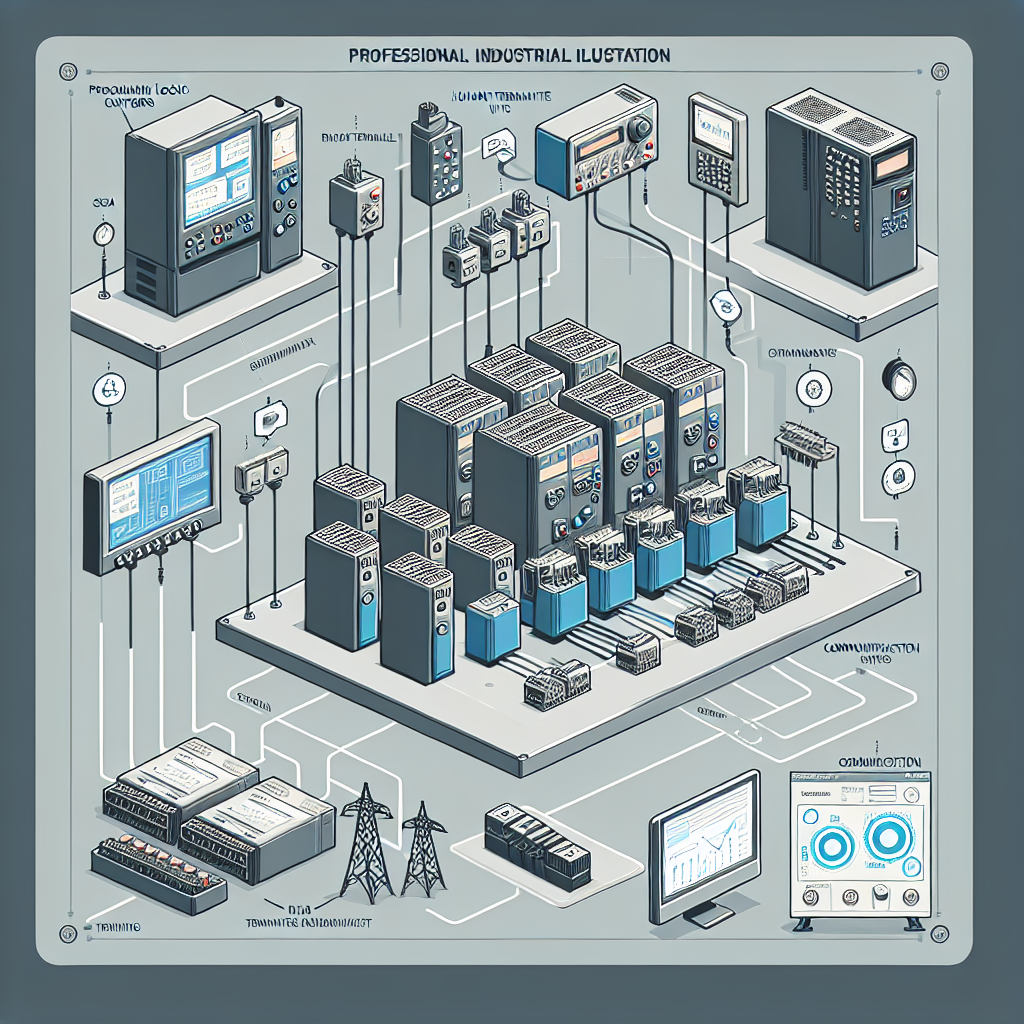
SCADA systems consist of several key elements that work together to ensure efficient operation. First, you’ve got the Remote Terminal Units (RTUs) and Programmable Logic Controllers (PLCs). These devices gather data from sensors and machines on the plant floor. Then there are the Human-Machine Interfaces (HMIs), which provide an interface for operators to interact with the system. Finally, the communication networks tie it all together, allowing data to flow seamlessly from the floor to the control center.
Now, here’s where it gets interesting: SCADA systems integrate deeply with plant operations. They provide real-time data, enabling operators to make informed decisions. In my experience, this integration is crucial for optimizing performance and responding to issues swiftly. Whether it’s a power plant or a manufacturing facility, SCADA systems are the unsung heroes ensuring everything runs smoothly.
Setting Up Your SCADA System
So, you’re ready to dive into setting up your SCADA system. The initial configuration can feel like piecing together a complex puzzle. But don’t worry, I’ve been through it countless times, and I can tell you, getting the foundation right is half the battle.
Start by identifying your plant’s specific needs. This will guide your choice of software and hardware. Popular SCADA software tools include Ignition by Inductive Automation and Wonderware by AVEVA. Back in the day, I once had to troubleshoot a Wonderware setup that saved the day during a critical production run.
Next, you’ll want to configure your network layout and data points. Pay attention to details like IP addresses and port configurations. Trust me, overlooking these can lead to headaches later on. Ensure your SCADA system aligns with your plant’s requirements by involving all stakeholders in the planning phase.
Pro Tip: From my experience, always keep a detailed log of your configuration settings. It becomes a lifesaver when you need to troubleshoot or expand the system later.
SCADA Communication Protocols
When it comes to SCADA communication protocols, you’ve got a buffet of choices. However, not all protocols are created equal. Let’s break down a few popular ones and weigh their pros and cons.
Profinet and Modbus are among the most widely used protocols in SCADA systems. Profinet, developed by Siemens, is known for its speed and flexibility. It’s excellent for systems requiring high-speed data transfer. On the other hand, Modbus, an older protocol, is like your reliable old friend—steady and simple.
However, the choice of protocol depends on several factors. Consider the complexity of your system, the need for speed, and compatibility with existing infrastructure. In my experience, selecting the right protocol can significantly impact the efficiency of your SCADA system. For example, I once opted for Ethernet/IP in a setup where seamless integration with Rockwell PLCs was crucial.
Furthermore, don’t forget about security. Some protocols offer better encryption and protection against cyber threats. In today’s cybersecurity climate, that’s a factor you can’t afford to ignore.
Real-World SCADA Applications
SCADA systems are the backbone of numerous industries, each with unique applications and challenges. Let’s look at some real-world examples to understand their impact.
In the oil and gas sector, SCADA systems monitor and control pipeline flows and ensure safety. I once worked on a project for a refinery where SCADA was crucial for maintaining operational efficiency. Similarly, in the water treatment industry, SCADA helps manage and monitor water quality and distribution.
One standout case I recall involved a manufacturing plant where implementing a SCADA system reduced downtime by 30%. The system provided real-time alerts, allowing maintenance teams to proactively address issues.
Lessons learned from these applications emphasize the importance of tailoring SCADA to specific industry needs. Moreover, continuous monitoring and updates are essential to keep the system aligned with evolving operational requirements.
For more insights into SCADA implementations, check out industrialgyan.com’s case study sections, where you’ll find detailed analyses of successful projects.
Additionally, you can refer to Siemens for a comprehensive overview of SCADA technologies and advancements in the field.
Common Mistakes to Avoid
Over the years, I’ve seen some recurring pitfalls folks fall into when dealing with SCADA systems. Here’s a rundown to help steer you clear.
- Neglecting Regular Maintenance: It’s tempting to “set it and forget it,” but that’s asking for trouble. Regular checks prevent small issues from snowballing.
- Overlooking Security: Ignoring cybersecurity is like leaving your car unlocked with the keys in it. Implement firewalls, intrusion detection, and regularly update passwords.
- Skipping Backup Plans: Always have a backup of your SCADA system. A failed update or a cyber attack can wreak havoc if you’re not prepared.
- Poor Documentation: Inadequate documentation leads to guesswork. Document everything from configurations to updates for future ease.
- Ignoring User Training: Your system is only as good as the people operating it. Invest in training to ensure everyone knows how to handle the system.
Troubleshooting Common SCADA Issues
Let’s be real for a moment. SCADA systems can be finicky. You know that feeling when everything’s connected but nothing’s working? Yeah, I’ve been there too. Here are some common issues and how you can tackle them.
Connectivity Problems
Connectivity issues are probably the most frustrating part of working with SCADA systems. One minute everything’s smooth, and the next, nothing’s talking to each other. Here’s the thing: often it’s the simple stuff that trips us up. Loose cables, mismatched IP addresses, or a firewall being overprotective. I once had an issue where a firewall rule change at midnight locked us out of half the plant’s data. Not fun.
- Step 1: Check your physical connections. Loose or damaged cables can cause nightmares. Trust me, it’s always worth the time to check.
- Step 2: Verify network settings. Ensure IP addresses and subnet masks are correctly configured.
- Step 3: Check firewalls and antivirus software. These can block SCADA traffic if not configured properly.
Data Inconsistencies
Data inconsistencies can mess with your reports and, more importantly, your decisions. Often, they arise from incorrect data mapping or time synchronization issues. Make sure your SCADA data points are correctly linked to their corresponding sensors or PLCs. And, keep an eye on time. SCADA systems need synchronized clocks to log data accurately.
- Step 1: Validate data mappings in your SCADA software.
- Step 2: Check time settings across all devices. Use NTP servers to keep everything in line.
- Step 3: Inspect for any software updates that might have affected your data configuration.
Maintaining system reliability requires vigilance. Regular checks and balancing can save you from the dreaded 2 AM call-out. Also, document everything. Trust me, future you will thank you for it.

SCADA System Security Best Practices
In my experience, the more connected your SCADA systems are, the more vulnerable they become. Cyber threats aren’t going away, and our systems are prime targets. Here’s how you can keep them safe.
Preventing Cyber Threats
Firstly, isolate your SCADA network from the business network. This limits exposure to potential threats. Then, implement a robust firewall and regularly update it. I’ve seen too many outdated systems fall prey simply because patches weren’t applied.
- Use secure passwords: Implement strong, unique passwords for all SCADA access points and change them regularly.
- Regular updates: Keep all software, including SCADA and connected systems, up to date with the latest security patches.
Network Security Measures
Network security is your first line of defense. Use encryption protocols like TLS to protect data in transit. Monitor network traffic for unusual activities that may indicate a breach. For instance, if you notice unexpected data spikes, it might be time to dig deeper.
- Segment your network: Limit the spread of any potential threats by using VLANs and subnets.
- Implement intrusion detection: Use IDS and IPS to identify and prevent unauthorized access.
Maintaining a secure SCADA environment is all about diligence. Stay on top of trends in cybersecurity, and don’t hesitate to bring in experts when needed. For more security tips, check out NIST’s cybersecurity guidelines.
Frequently Asked Questions
What are the main differences between SCADA and DCS?
SCADA systems are generally used for monitoring and control over long distances, often with multiple sites. DCS (Distributed Control Systems), however, are more suited for localized control within a single facility. SCADA is more about data acquisition and control, while DCS focuses on the process control aspect.
How do you integrate SCADA with existing PLC systems?
Integration requires ensuring compatibility between the SCADA software and the PLC hardware. Use industry-standard communication protocols like Modbus or Profinet. It’s crucial to map data points in the PLC to your SCADA software correctly. In my experience, thorough testing is vital before going live to ensure smooth operation.
What are the challenges in scaling SCADA systems?
Scaling involves handling increased data volumes and more connected devices. Ensure your infrastructure supports higher bandwidth and storage capacities. You might need to upgrade your network architecture and optimize your software for better performance. Planning ahead and considering future growth is key.
How often should SCADA systems be updated or maintained?
Regular maintenance is essential for reliable SCADA performance. I’d recommend quarterly checks for software updates and annual reviews of hardware and network settings. Also, conduct periodic security audits to ensure your system remains protected against evolving threats.
Can SCADA systems handle IoT integration?
Yes, modern SCADA systems can handle IoT integration. The key is to ensure compatibility and security are up to par. You’ll need to select a SCADA system that supports IoT protocols like MQTT and ensure your network infrastructure can handle the increased data flow.
What should I do if my SCADA system is showing incorrect data?
If you notice incorrect data, start by checking the data sources. Ensure sensors and PLCs are functioning correctly and the data mappings in your SCADA software are accurate. Synchronize all device clocks and verify that there are no software bugs or recently applied updates causing the issue.
Key Takeaways for SCADA System Users
So, what’s the bottom line? SCADA systems are powerful tools for industrial automation, but they require attention and care. Connectivity and data consistency are your bread and butter, so keep them in check. Security can’t be an afterthought; it’s as vital as the system itself.
Ensure regular maintenance and stay updated on the latest security practices. Document everything, from troubleshooting steps to configuration settings. It makes life easier when things go awry, and trust me, they sometimes will.
If you’re looking for more tips or have specific questions, drop by the Industrial Gyan forums. It’s a great place to learn from fellow engineers and share your experiences.
Honestly, the way I see it, mastering SCADA is like learning to dance. It’s awkward at first, but once you get the hang of it, it just flows. Keep learning, stay curious, and most importantly, enjoy the process!

I am an electrical & automation engineer with extensive experience in Design, PLC programming, SCADA development, and IoT integration. I have a strong background in the industry, focusing on the Design & Development of Hardware, Software &Industry 4.0 technologies, and the integration of intelligent manufacturing systems.
I have a deep understanding of electrical principles and am proficient in various programming languages, including Ladder Logic, Structured Text, and Python. In addition, I have experience with various PLC, SCADA & IoT technologies and a track record of successful integration projects for various clients.