

Why Learn PLC Programming?
If you’ve ever struggled with a production line glitch caused by a poorly programmed PLC at 3 AM, you’ll understand why PLC programming is such a valuable skill in industrial automation. Let’s be honest, when the plant’s down, everyone turns to the engineer who can make sense of that tangled web of logic and wires. PLCs are the backbone of modern automation systems, and being proficient in programming them can significantly boost your career prospects.
So, what’s the deal with PLCs? Well, they’re everywhere in the industrial sector. From simple tasks like turning on a motor to complex control systems managing entire production lines, PLCs are involved. They’re reliable, flexible, and can handle harsh environments. Consequently, companies need skilled programmers to design, maintain, and troubleshoot these systems. That’s where you come in.
Job opportunities for PLC programmers are abundant. Industries like automotive, pharmaceuticals, and food processing are constantly on the lookout for talent. Plus, it’s not just about getting a job; there’s room for growth. With experience, you can move into roles like systems integrator, automation engineer, or even a controls consultant. And let me tell you, the feeling of solving a problem that’s been bugging the plant for days is incredibly satisfying.
I remember one site where a packaging line kept jamming, and the production manager was tearing his hair out. Turned out, the issue was a PLC program that hadn’t been updated for a new product size. A simple change in the dimensions parameter, and we were back in business. The gratitude from the team was worth every minute spent on that ladder logic.
Understanding the Basics of PLCs
What is a PLC?
In a nutshell, a Programmable Logic Controller (PLC) is an industrial computer used for automating electromechanical processes. Think of it as the brain behind your plant’s operations. It takes inputs from devices like sensors and switches, processes them based on your programmed logic, and sends outputs to actuators, motors, and lights. The efficiency and precision of these processes hinge on how well the PLC is programmed.
In my 15 years on the plant floor, I’ve seen what happens when a PLC program isn’t up to scratch. Once, a misconfigured timer caused a conveyor to run for 5 seconds longer than intended, leading to a massive pile-up of products. A quick reprogramming of the timer from 15 seconds to 10 seconds (Parameter T002) sorted it out, but it was a valuable lesson in double-checking your logic.
Key Components of a PLC
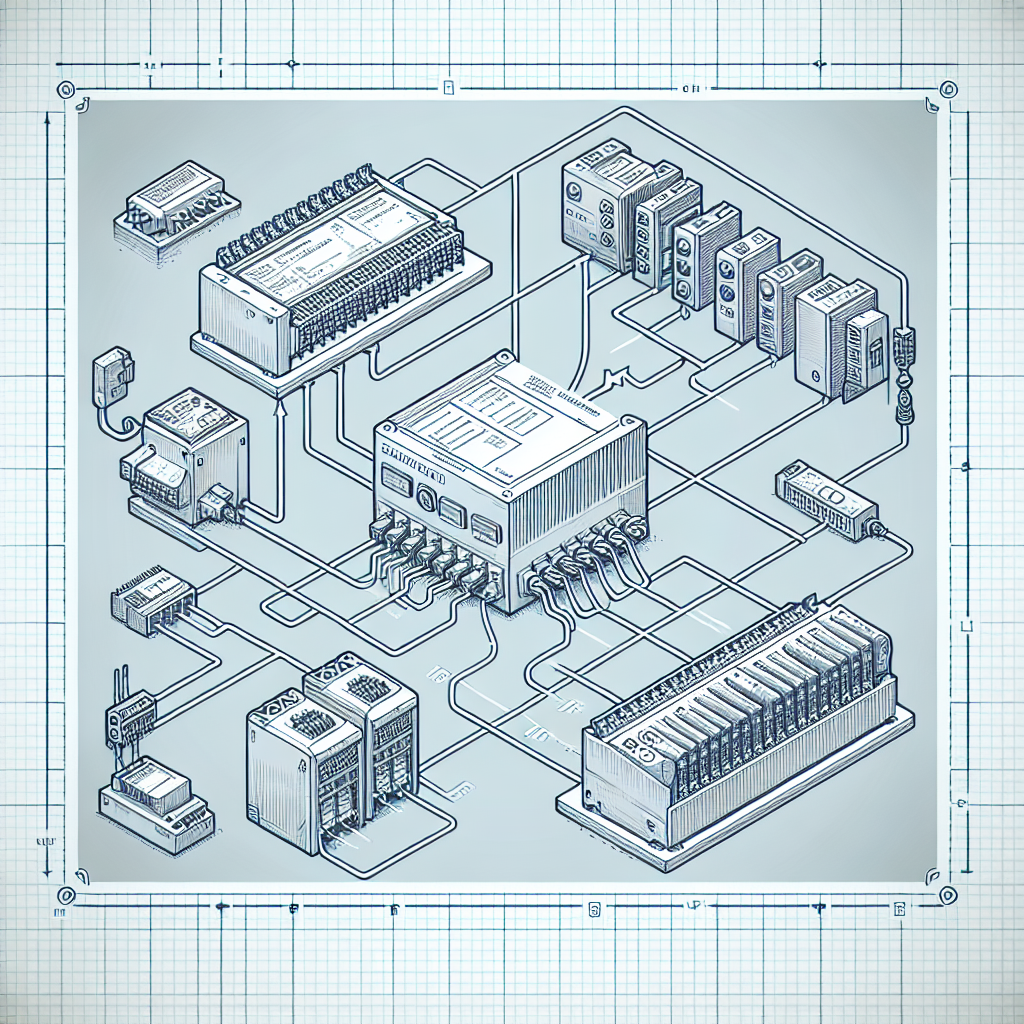
Let’s break it down. A typical PLC consists of several key components:
- CPU (Central Processing Unit): This is the brain of the PLC. It executes the control instructions stored in the user program. In my experience, a powerful CPU like the Siemens S7-1500 can handle complex tasks efficiently.
- I/O Modules: These are your communication points with the process. Input modules receive signals, while output modules send control commands. The right configuration of these modules is crucial for reliable operation.
- Power Supply: It provides the necessary power to the CPU and I/O modules, ensuring the system runs smoothly.
Now, you might wonder how a PLC differs from a regular computer or an Arduino. Well, PLCs are built to last in industrial environments. They’re rugged, can operate in extreme temperatures, and are designed for continuous operations with minimal downtime. That’s a game-changer when you’re dealing with high-stakes manufacturing processes.
Getting Started with PLC Programming
Choosing the Right PLC
Here’s the thing, choosing the right PLC for your application is crucial. Factors like the complexity of the task, environmental conditions, and budget play a role. For instance, if you’re dealing with a high-speed packaging line, a faster CPU like the Allen Bradley ControlLogix might be your best bet. However, for simpler tasks, a Siemens S7-1200 could do just fine.
You’ll also want to consider the communication protocols needed. If you’re integrating with existing systems, ensure compatibility with networks like Profinet or Modbus. Trust me, nothing’s more frustrating than a communication mismatch that leaves you scratching your head at 2 AM.
Basic Programming Languages
Now, let’s talk about programming languages. The two most common ones are Ladder Logic and Function Block Diagram (FBD). Ladder Logic is great for those familiar with relay logic. It uses symbolic representation, making it easier to visualize the control process. On the other hand, FBD is based on graphical blocks and is often used for complex sequential operations.
In my experience, starting with Ladder Logic gives you a good foundation. It’s intuitive and widely supported across many PLC platforms. Once you’re comfortable, you can explore FBD for more intricate tasks. The real trick is to keep practicing and not shy away from experimenting with different functions.
Basic Programming Steps for Beginners
So, how do you start programming? Firstly, define your control process. What are you trying to achieve? Break it down into input and output requirements. Next, you design the control logic. This is where Ladder Logic or FBD comes in. Map out your logic with simple operations first.
Next up, simulate your program. Many PLC programming environments offer simulation tools to test your logic without deploying it to the hardware. This step is crucial to avoid real-world mishaps. Finally, download the program to the PLC and observe the process in action.
Pro Tip: Always keep a backup of your programs. You never know when you’ll need to revert to a previous version during debugging.
Essential Tools and Software
Programming Software
Let’s discuss the software you’ll need. Popular PLC programming software includes Siemens TIA Portal for Siemens PLCs and RSLogix 5000 for Rockwell Automation PLCs. These platforms offer robust environments for developing, simulating, and testing your PLC programs. Moreover, they come with comprehensive libraries to make your life easier.
Simulation Tools
Simulation tools are a lifesaver. They allow you to test your program’s logic before uploading it to the PLC. For instance, Siemens PLCSIM Advanced lets you visualize and troubleshoot your logic. This step is incredibly useful, especially when you’re dealing with complex processes.
From my experience, using simulation tools helps you catch errors early and ensures your program runs smoothly when deployed. Additionally, these tools can save you from making costly mistakes that could disrupt production.
How to Set Up Your Programming Environment
Setting up your environment is straightforward but critical. Ensure you have the latest version of the programming software. Install the necessary drivers and libraries for your PLC model. Familiarize yourself with the interface features like tag editors, online monitoring, and diagnostic tools.
Don’t forget to set up a systematic file organization for your project. Keeping things neat will save you time when you’re navigating through various files and versions. Trust me, a chaotic setup can make debugging a nightmare.

Common Mistakes to Avoid
Even the best of us have banged our heads against the wall over common mistakes in PLC programming. I’ve been there more times than I care to admit. So, let’s get into some typical errors and how you can sidestep them.
Forgetting to Check I/O Configurations
First up is forgetting to check your I/O configurations. This might sound basic, but trust me, it’s often overlooked. You’ve got to ensure that the PLC inputs and outputs match what’s physically wired. I once spent a whole afternoon troubleshooting an I/O issue that was simply due to a swapped wire.
Typos in Code
Next, watch out for typos in your code. A simple mistyped tag can cause chaos, so double-check everything. I once spent hours trying to figure out why a motor wouldn’t start, only to find a single character error in the tag name. Double-check your tags and comments.
Ignoring Simulation Results
Another mistake is ignoring the results from simulations. If something doesn’t look right in the simulator, it probably won’t work in the real world. Trust the simulations and address any oddities before deployment.
Overcomplicating Logic
Overcomplicating your logic is a trap. Keep it simple, especially when starting out. Complex logic is harder to debug and maintain. Break down large tasks into smaller, manageable pieces.
Underestimating Documentation
Finally, never underestimate the power of good documentation. It’s tempting to skip this when you’re busy, but future you will thank you for detailed comments and clear descriptions. Trust me on this one.
Tip: When in doubt, simplify. If your logic seems overly complex, you might be missing an easier solution.
Advanced PLC Programming Concepts
Modular Programming
Modular programming is like building with LEGO. You create small, reusable pieces or “blocks” of code. This makes your programs easier to manage and debug. I personally prefer this approach, as it keeps everything tidy and more understandable. Moreover, if you need to update a section of the program, you only have to tweak a single module instead of the entire codebase.
I had a project where changing a single input condition in a modular program took me about 5 minutes. Had it been a single block of code, I’d have spent a whole day untangling the spaghetti logic.
Networking and Communication
Now, let’s talk about networking in PLCs. It’s a game-changer, allowing PLCs to talk with other devices. Understanding PLC networking opens doors to more complex control systems. You’ll come across protocols like Modbus and Profinet, each with its nuances. Modbus, for example, is simpler and widely used in older systems. On the other hand, Profinet offers faster speeds and is more suited for modern, high-speed needs.
Communication protocols are the lifelines of automation. In my experience, knowing how to set up a Modbus RTU or a Profinet link can save you time and headaches. Each protocol has its strengths, so read up on them based on your application requirements. Personally, I find Profinet to be incredibly robust for data-heavy operations.
Frequently Asked Questions
How long does it take to learn PLC programming?
Learning PLC programming varies per person. Generally, with dedication, you can grasp the basics within a few weeks. However, mastering it takes years of hands-on practice. Real-world experience, like debugging on a plant floor, speeds up the learning curve.
What are the best resources for beginners?
You’ll want to start with manufacturer resources like Siemens’ and Rockwell’s training programs. Additionally, forums like PLCtalk.net offer invaluable community support. Books like “PLC Programming with RSLogix 5000” can be very helpful too.
Can I self-study PLC programming?
Absolutely, you can. Many engineers are self-taught. Use online courses, tutorials, and simulator software to practice. Tools like CODESYS and PLCSIM Advanced from Siemens are excellent for self-study.
What’s the difference between Ladder Logic and other languages?
Ladder Logic resembles electrical schematics, making it intuitive for electricians. Other languages like Function Block Diagrams (FBD) and Structured Text (ST) cater to more complex logic. Each has its place depending on your specific needs.
Are there free tools available for learning?
Yes, many manufacturers offer free simulators and software trials. For instance, Siemens offers a limited version of TIA Portal for beginners. These tools are great for practicing without investing heavily upfront.
What’s a common mistake that beginners make?
One common mistake is skipping the simulation step. Beginners often overlook how crucial it is to simulate the PLC logic before actual deployment. Simulations can catch errors early on and save you from potential production mishaps.
How often should I update my skills in PLC programming?
Honestly, the way I see it, you should aim to update your skills regularly. The field of industrial automation evolves continuously, so staying current with the latest software updates, hardware innovations, and programming methodologies is crucial for your career growth.
Key Takeaways
Let’s wrap things up. PLC programming is all about precision and practice. From avoiding common errors to embracing advanced concepts like modular programming and networking, every bit helps in mastering this skill. If you’re just starting out, focus on understanding the basics and gradually dive into more complex topics.
Remember, patience is your best friend here. Practice makes perfect, and every mistake is a lesson. I encourage you to experiment and explore the vast world of PLC programming. Try your hand at small projects, and don’t hesitate to ask the community for help. You’ll only get better with time.
So, roll up your sleeves and get programming. If you want more insights, check out other articles on industrialgyan.com. And don’t forget to look at the official resources from Siemens and Rockwell Automation for deeper dives into specific PLCs.

I am an electrical & automation engineer with extensive experience in Design, PLC programming, SCADA development, and IoT integration. I have a strong background in the industry, focusing on the Design & Development of Hardware, Software &Industry 4.0 technologies, and the integration of intelligent manufacturing systems.
I have a deep understanding of electrical principles and am proficient in various programming languages, including Ladder Logic, Structured Text, and Python. In addition, I have experience with various PLC, SCADA & IoT technologies and a track record of successful integration projects for various clients.