

Introduction: Why PLC Programming Matters
If you’ve ever dealt with PLC programming issues on the plant floor, you know how frustrating they can be. Picture this: it’s 2 AM, and you’re knee-deep in troubleshooting a production line shutdown. The culprit? A single line of PLC code causing chaos. I’ve been there, and trust me, mastering PLC programming isn’t just beneficial—it’s essential.
PLCs (Programmable Logic Controllers) stand as the backbone of industrial automation. They’re the silent, tireless operators behind everything from assembly lines to power plants. Without them, efficient automation would grind to a halt. I’ve seen firsthand how a well-programmed PLC can transform a process, pushing productivity through the roof. On the flip side, poorly written code can lead to costly downtime.
So, what can you expect from mastering PLC programming? In this article, we’ll explore the basics and beyond. We’ll dive into understanding PLCs, choosing the right one for your needs, and honing your programming skills. By the end, you’ll have a roadmap to not only tackle issues like a pro but also optimize your systems for peak performance. Let’s get started.
Understanding PLC Basics
What is a PLC?
A PLC is a specialized computer used in industrial automation to control machinery and processes. They’re built to withstand the harsh environments of the factory floor, making them indispensable in managing operations. In my experience, a PLC serves as the heart of any automated system, executing control functions based on predefined conditions.
In my 15 years, I’ve seen PLCs evolve, but their core purpose remains unchanged: reliability in control. Whether you’re automating a packaging line or controlling a robotic arm, the basic principles of PLC operation apply universally. But here’s where it gets interesting—each industry tailors these systems to fit their unique requirements. It’s a bit like customizing a car; the base model works the same, but the features can vary widely depending on what you’re driving.
Key Components of a PLC
At its core, a PLC consists of several key components:
- CPU (Central Processing Unit): This is the brain of the PLC, handling logic processing and decision-making based on the program loaded into it.
- I/O Modules: Input/Output modules interface with the machinery, receiving signals from sensors and sending commands to actuators.
- Power Supply: Provides the necessary electrical power to the PLC and its components.
Additionally, PLCs come in various types, each suited for different applications. For instance, the Siemens S7-1200 is excellent for small to medium-scale automation tasks, while the Allen Bradley ControlLogix excels in complex, large-scale environments. I remember one site where the plant manager swore by the Mitsubishi Q-series because it could handle their extensive I/O needs without a hitch. It’s all about matching the tool to the task.
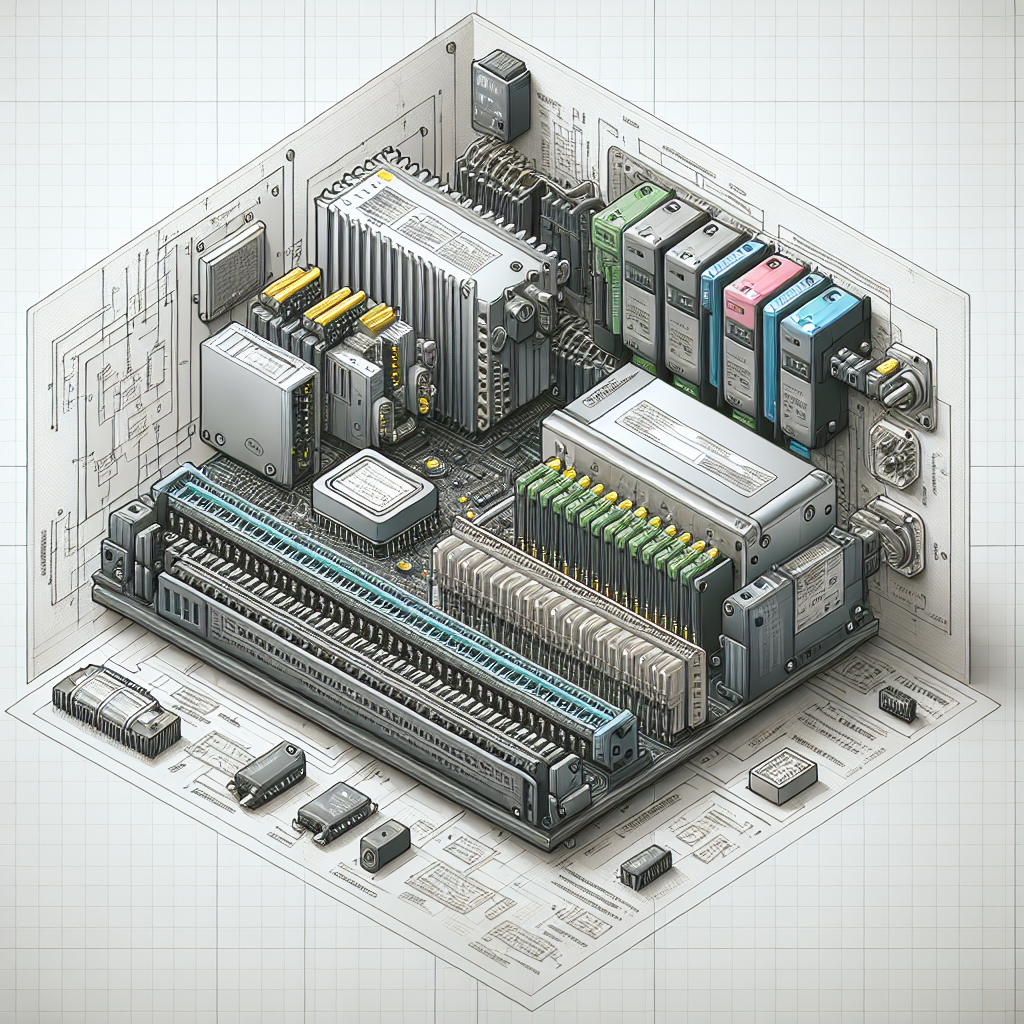
Understanding these components and their interaction is the first step toward mastering PLC programming. The real trick is knowing which PLC fits your specific needs.
Getting Started with PLC Programming
Choosing the Right PLC for Your Needs
When it comes to selecting a PLC, you’ll want to consider the scale and complexity of your application. It’s like choosing the right tool for a job—a hammer won’t work when you need a screwdriver. For instance, a Mitsubishi FX-series might be ideal for smaller, less complex applications, while a Rockwell Automation CompactLogix could be more suitable for mid-range systems with higher demands.
Moreover, always factor in future scalability and integration with existing systems. PLCs like the Siemens S7-1500 offer robust networking capabilities, perfect for a factory with extensive Profinet integration.
I once worked on a project where the initial requirement was for a simple bottle filling line. We went with a Siemens S7-1200. Two years later, the line expanded, requiring additional stations and integration with their ERP system. Because we chose a scalable PLC, the transition was seamless. Trust me, plan for growth—it’ll save you headaches down the line.
Essential Programming Languages
Once you’ve chosen your PLC, the next step is selecting the programming language. Here’s where it gets interesting. The International Electrotechnical Commission (IEC) 61131-3 standard defines several languages, but Ladder Logic remains the most commonly used, especially for those transitioning from relay-based control systems.
However, Function Block Diagram (FBD) and Structured Text (ST) offer flexibility and are great for complex algorithms. For instance, FBD is intuitive for process engineers, while ST resembles high-level programming languages, making it ideal for more sophisticated control.
In my experience, the language you choose should align with the task at hand. If you’re handling simple logic operations, Ladder Logic might suffice. For more intricate control, you might opt for Structured Text.
Pro Tip: Always keep your audience in mind—if someone else will maintain your code, consider their familiarity with the language.
Programming Techniques and Best Practices
Writing efficient PLC code isn’t just about getting the job done—it’s about doing it well. You see, modular programming is your best friend here. Break down your code into reusable modules or blocks. This not only simplifies the logic but also makes debugging a breeze.
Additionally, always comment your code. A simple //Start Motor comment can save hours of head-scratching later. PLCs are typically maintained by several hands, so clear documentation is crucial.
Here’s a funny thing, I remember a time when a colleague had written a beautiful piece of code but didn’t comment a single line. When he moved to another project, it took us days to figure out his logic during a plant shutdown. Moral of the story? Comments are like breadcrumbs—leave them for the next person.
Debugging and Troubleshooting
I once spent hours chasing a problem caused by a typo in a tag name. It taught me the value of a systematic approach to debugging. Start by isolating sections of your program to pinpoint the issue. Use the PLC’s built-in diagnostic tools to monitor I/O status and logic flow.
Moreover, keep an eye on common pitfalls like incorrect addressing or timing issues. PLCdev offers great resources for troubleshooting methodologies. From my experience, the devil is in the details—double-check your connections and configurations.

Tip: If your system is acting up, don’t forget to check the firmware versions. An outdated version can cause all sorts of mysterious behavior.
Furthermore, don’t hesitate to consult the community. Forums like Siemens PLC forum can provide insights and solutions you might not have considered.
Advanced Concepts in PLC Programming
Networking and Communication Protocols
Networking in PLC programming is where it gets interesting. You’ve probably heard of Modbus and Profinet, right? These protocols are the backbone of communication between devices. Modbus is the old reliable, especially in legacy systems. It’s simple but effective. On the other hand, Profinet is the modern choice with its high-speed Ethernet-based communication.
Here’s the thing, choosing the right protocol depends on your specific needs. For instance, if you’re integrating with a wide range of devices—including those pesky older systems—Modbus might be your go-to. But if you’re working with a Siemens-heavy setup, Profinet’s your best bet. I once had a project where mixing these protocols was necessary to get everything talking. So, don’t be afraid to mix it up when needed.
Integration with SCADA Systems
Now, let’s talk SCADA. Integrating PLCs with SCADA systems can be a bit tricky. You’ve got to manage data flow, ensure proper synchronization, and avoid bottlenecks. The real trick is understanding the data needs of both systems. I’ve seen engineers go down the rabbit hole trying to figure out why their SCADA system is lagging, only to find it was due to poorly configured data polling rates.
For example, integrating a Siemens S7-1200 PLC with a WinCC SCADA system can showcase advanced applications like real-time monitoring and control of manufacturing processes. The key is in the details—right cables, correct configuration settings, and ensuring all firmware is up to date. Trust me, nothing kills a project faster than outdated software compatibility issues.
Common Challenges and How to Overcome Them
Handling Hardware Failures
Hardware failures are the bane of every engineer’s existence. The good news? They’re often preventable. From my experience, most hardware issues stem from poor maintenance. Dust build-up, overheating due to poor ventilation, and power surges are usual suspects. Use Belden 9841 cables for your RS-485 connections to minimize noise-related problems.
Here’s a personal anecdote: I spent an entire night troubleshooting a VFD panel only to find out the fan was clogged with dust. Keep your components clean, check those connections, and make sure your power supplies are stable. It’s simple, but it saves a ton of headaches.
Dealing with Software Bugs
Software bugs are a different beast. They sneak in when you least expect them. In my experience, most bugs arise from rushed coding or incomplete testing. A simple missing semicolon or a wrong data type can cause unexpected PLC behavior. The solution? Rigorous testing and peer reviews. Catch those bugs before they cause chaos on the production floor.
For instance, I once debugged a crashing program which turned out to be a memory overflow error in an Allen Bradley CompactLogix system. Lesson learned: always monitor your memory usage and set proper data types. A few extra bytes can make a world of difference.
Common Mistakes to Avoid
Let’s face it, we’ve all made mistakes. But in PLC programming, even a small mistake can lead to significant downtime and costly repairs. Here are some common pitfalls to watch out for:
- Ignoring Documentation: It’s tempting to dive right into coding, but without proper documentation, you’re setting yourself up for trouble. Always document your logic, I/O configurations, and network settings.
- Overlooking Future Needs: Don’t design your system just for today. Consider future expansions and updates. Choose scalable PLCs and leave room for additional I/O modules.
- Poor Cable Management: Inadequate cable management can cause noise issues and make troubleshooting a nightmare. Use proper shielding and organize your wiring neatly.
- Skipping Firmware Updates: Outdated firmware can lead to compatibility issues and security vulnerabilities. Regularly check for updates and apply them systematically.
- Neglecting Safety Features: Safety interlocks and emergency stop functionality aren’t just nice to have—they’re essential. Ensure these are properly implemented and tested.
Frequently Asked Questions
What is the best PLC for beginners?
Honestly, the Siemens S7-1200 is a great start for beginners. It’s user-friendly, has a robust support community, and integrates well with various SCADA systems. However, it also depends on your specific industry and existing systems. Allen Bradley’s MicroLogix series is another solid choice due to its simplicity and widespread use in North America.
How do I choose the right programming language?
The right language depends on your project needs and personal preference. Ladder Logic is the most popular and acts as the industry standard. However, for complex tasks, Structured Text (ST) offers more flexibility. Learn both if you can; they complement each other well in PLC programming.
Why does my PLC program keep crashing?
Crashes often result from memory issues, incorrect data handling, or communication errors. Check your error logs, watch memory usage, and ensure all devices on the network communicate properly. Bugs can also occur due to outdated firmware, so keep everything up to date.
Can I integrate PLCs with other systems?
Absolutely, PLCs are designed to integrate with various systems. Whether it’s SCADA, HMIs, or even ERP systems, modern PLCs have the capabilities to communicate across different platforms. The key is choosing the right protocols and ensuring compatibility with existing hardware.
What safety measures should I take when programming PLCs?
Safety first, always. Isolate power before working on any hardware. Use protective gear if necessary and double-check your wiring. In programming, ensure safety interlocks are properly coded to prevent accidents. Regularly update safety-related instructions and policies.
Key Takeaways for PLC Programming
So, what have we covered? PLC programming is both an art and a science. From mastering basic techniques to tackling advanced networking protocols and SCADA integration, there’s always something new to learn. My advice? Never stop updating your skills. Stay curious, stay cautious, and always be prepared for challenges.
Lastly, dive deep into the specifics of your machines and environments. The devil’s in the details, and that’s where you’ll find your solutions. And hey, if you need more advice, check out the resources on industrialgyan.com—they’re a goldmine for continuous learning.
Get out there and start programming. You’ve got this!

I am an electrical & automation engineer with extensive experience in Design, PLC programming, SCADA development, and IoT integration. I have a strong background in the industry, focusing on the Design & Development of Hardware, Software &Industry 4.0 technologies, and the integration of intelligent manufacturing systems.
I have a deep understanding of electrical principles and am proficient in various programming languages, including Ladder Logic, Structured Text, and Python. In addition, I have experience with various PLC, SCADA & IoT technologies and a track record of successful integration projects for various clients.