

Introduction: Why SCADA Systems Matter
If you’ve ever had the pleasure—or nightmare—of dealing with SCADA systems on a plant floor, you know just how crucial they are to keeping things running smoothly. These systems are the backbone of modern industrial automation, providing the eyes and ears for operators to monitor and control processes effectively.
SCADA, or Supervisory Control and Data Acquisition systems, play a pivotal role in ensuring that everything from assembly lines to power grids runs without a hitch. They’re like the central nervous system of an operation, collecting data from various sensors and devices, then feeding it back to the operators in a digestible format.
Now, let me share a quick story. I once witnessed a situation where a line was about to crash due to a faulty sensor that was misreading temperature data. Thanks to the SCADA system in place, we spotted the anomaly in real-time and managed to intervene before any serious damage occurred. That incident alone saved hours of downtime and a substantial amount of revenue.
So, trust me when I say, understanding SCADA systems can save your bacon more times than you’ll care to admit. They offer a level of insight and control that’s indispensable in today’s fast-paced industrial environments.
What Exactly is a SCADA System?
At its core, a SCADA system is a comprehensive control system architecture that uses computers, networked data communications, and graphical user interfaces for high-level process supervisory management. It also employs other peripheral devices like programmable logic controllers (PLCs) and discrete PID controllers to interface with the process plant or machinery.
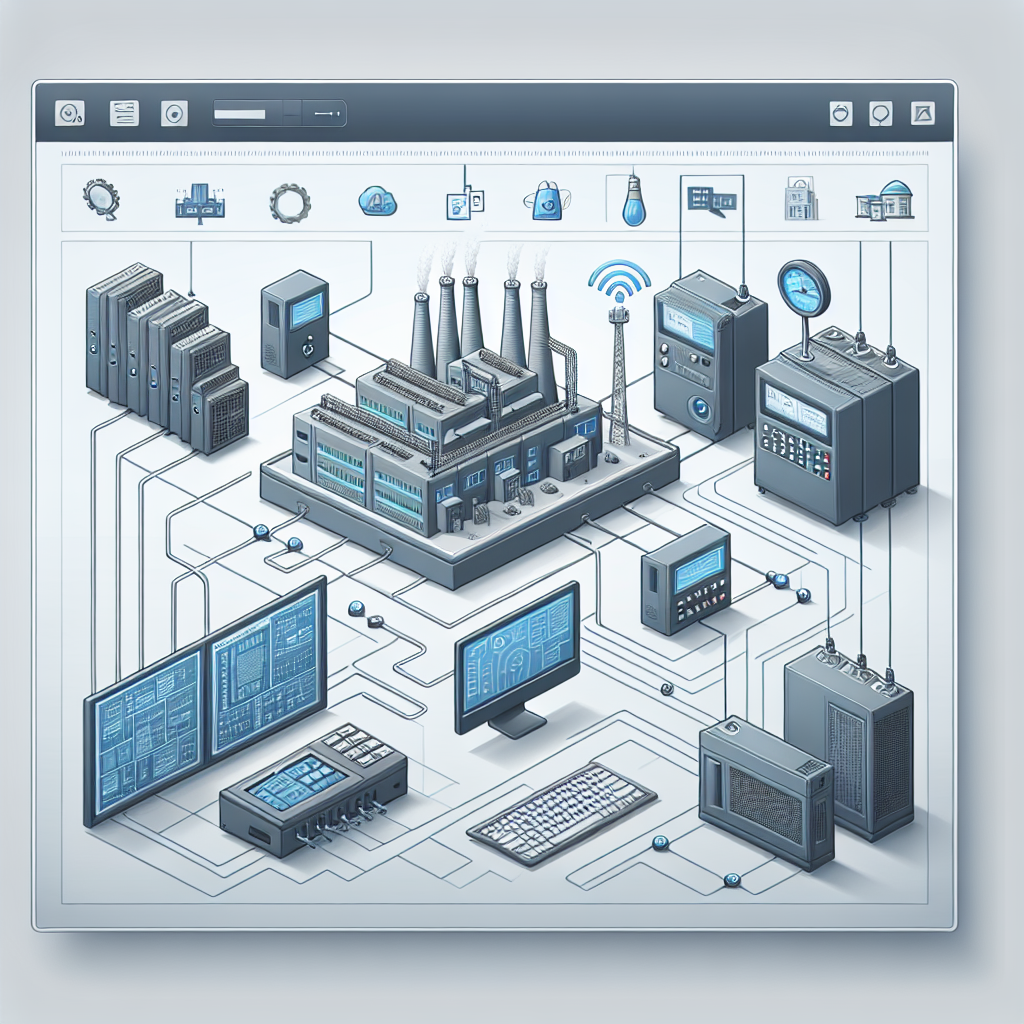
Speaking of components, you’ll typically find several key pieces in any SCADA setup. These include PLCs, Remote Terminal Units (RTUs), Human-Machine Interfaces (HMIs), and a robust communication infrastructure to tie it all together. Each serves its own unique purpose, but together, they form a cohesive monitoring and control system.
Now, you might be thinking, “Isn’t this similar to a Distributed Control System (DCS)?” Well, both SCADA and DCS are used for real-time data monitoring and control, but there are differences. A SCADA system is decentralized and capable of covering large geographical areas, making it ideal for utilities like water and power. Meanwhile, a DCS is usually plant-centric, used for continuous production processes like chemical plants or refineries.
The main takeaway? SCADA systems excel in applications where remote monitoring and control are crucial. They’re versatile, scalable, and, in many cases, a more cost-effective solution for large-scale operations.
How SCADA Systems Work
Understanding how SCADA systems work starts with data acquisition. Sensors and devices collect real-time data from the production floor or wherever they’re deployed. This data could be anything from temperature and pressure to speed and electrical current, depending on the process being monitored.
Here’s where the magic happens: Network communication. SCADA systems rely heavily on communication protocols like Modbus, Profinet, and sometimes even Ethernet/IP. These protocols ensure that data travels from the field devices to the central monitoring systems quickly and reliably.
Once the data reaches the SCADA system, it’s time for data processing and monitoring. The system analyzes this influx of information, often through an HMI. Operators can then monitor everything in real-time, spot abnormalities, and even predict issues before they escalate. Alarm management is another critical aspect, alerting operators through visual or audio cues when certain thresholds are breached.
Pro Tip: From my experience, ensuring robust communication is key. Always opt for shielded cables like Belden 9841 to minimize electrical noise.
Moreover, data visualization tools within SCADA systems help operators make informed decisions on the fly. You can configure dashboards to display key performance indicators, trends, and alerts, offering a comprehensive yet straightforward view of your operations.
Common Applications of SCADA in Industry
SCADA systems find applications across various industries due to their flexibility and scalability. In power generation and distribution, for example, SCADA monitors substations, integrates renewable energy sources, and ensures grid reliability. Without it, you’d lack real-time insights into power flow and potential disruptions.
In manufacturing, SCADA systems oversee production lines, ensuring processes run smoothly and efficiently. They provide data on machine performance and product quality, enabling you to optimize operations and reduce waste. I personally believe that without SCADA, many manufacturing plants would struggle to keep up with consumer demands.
Furthermore, SCADA plays a significant role in water treatment and wastewater management. By monitoring water levels, chemical dosages, and pump performance, these systems maintain compliance with environmental standards and ensure public safety.
When it comes to industrial applications, the adaptability of SCADA systems makes them a valuable asset in any engineer’s toolkit. They provide the data and control you need to make quick, informed decisions—keeping everything from your production lines to utility grids running like a well-oiled machine.
Setting Up a SCADA System: Practical Tips
Choosing the Right Hardware
The first step in setting up SCADA systems is selecting the right hardware. You want devices that aren’t just compatible but also reliable. For instance, I’ve always had good experiences with Siemens and Allen Bradley components because of their durability and support. Ensure that your PLCs, RTUs, and HMIs can handle the industrial environment you’re dealing with.
Configuring Communication Networks
Now, let’s talk about networks. You won’t get far if your devices can’t communicate effectively. When setting up your communication networks, it’s crucial to choose the right protocols and media. For most industrial setups, you’ll find Profinet and Modbus TCP/IP being the popular picks. Setting up these reliable network paths isn’t just about getting the right cables; it’s about configuring them correctly. For instance, I once had a setup where simply ensuring all my cables were shielded made a world of difference in reducing noise interference.
Software Setup and Integration
The software is where your SCADA systems really shine. You need to integrate SCADA software like Ignition, Wonderware, or Siemens WinCC with your existing systems. Make sure everything speaks the same language. It’s kind of like getting all your relatives to agree on a movie — not easy, but once it’s done, it makes for a smooth evening. Ensure your tags and PLC addresses are mapped correctly to avoid any surprises later.

SCADA Troubleshooting and Maintenance
Common Issues and Solutions
Every SCADA system will face issues at some point. One common problem is data loss, usually due to network failures. I once spent a whole night tracking down a faulty switch that kept dropping packets. The trick is to have a solid plan for monitoring network health and a quick way to isolate problems.
Pro Tip: Always keep a basic network analyzer tool handy. It can help you quickly identify and resolve communication issues before they escalate into major downtime.
Preventive Maintenance Strategies
Preventive maintenance can save you a lot of headaches. Regularly update your SCADA software and firmware to patch any security vulnerabilities. Additionally, calibrate your sensors and test your communication paths periodically. In my experience, most SCADA faults stem from neglected maintenance.
Keeping spare parts handy is another smart move. I can’t count how many times a quick swap of a backup PLC saved the day. Moreover, training your team on troubleshooting basics can make a big difference.
Common Mistakes to Avoid
Even with the best intentions, setting up and maintaining SCADA systems can be fraught with pitfalls. Let me share a few common mistakes I’ve seen over the years and how to avoid them.
Ignoring Firmware Updates
It’s tempting to skip firmware updates, especially when everything seems to be working fine. But trust me, I’ve seen outdated firmware lead to compatibility issues and security vulnerabilities. Schedule regular updates to keep your system secure and efficient.
Poor Documentation
Inadequate documentation can turn troubleshooting into a nightmare. Document everything — from network configurations to software versions. This practice will save you countless hours when something goes wrong.
Underestimating Security Threats
Neglecting cybersecurity measures can have disastrous consequences. Implement strong passwords, encryption, and firewalls. I’ve come across a few cases where small oversights led to big security breaches.
Improper Calibration of Sensors
Uncalibrated sensors can feed inaccurate data to your SCADA system, leading to poor decision-making. Regularly calibrate sensors to ensure precise data collection.
Overcomplicating the System
Complex does not always mean better. Sometimes, a simple SCADA setup is more effective. Keep your system as streamlined as possible to reduce potential points of failure.
Future Trends in SCADA Technology
The future of SCADA systems is exciting. Integration with IoT and Industry 4.0 is becoming more prevalent, allowing for smarter data-driven decision-making. Furthermore, advancements in cybersecurity are crucial, given the growing threat landscape. Emerging technologies in data analytics and AI are enhancing SCADA systems’ capabilities, allowing for predictive maintenance and anomaly detection.
Real-World SCADA Anecdotes
Now, let me share a couple more war stories to illustrate the power and challenges of SCADA systems.
I remember one site where a new SCADA implementation was underway, and we were all set for a smooth roll-out. But then, out of nowhere, weird data discrepancies started popping up. Turns out, the issue was with a simple misallocated IP address causing cross-communication between unrelated PLCs. It took us a good half-day of head-scratching and a couple of strong cups of chai to sort it out. Lesson learned: Always double-check your network configurations!
Another memorable instance was during a night shift at a chemical plant where a sudden spike in a reactor’s temperature got everyone panicked. Thanks to the intelligent alarm management in the SCADA system, we quickly identified a faulty valve. We were able to isolate and fix the issue within hours, which prevented what could have been a hazardous situation. The SCADA system’s real-time data and alarm functionality truly saved the day.
Frequently Asked Questions
How does SCADA differ from HMI?
While both SCADA and HMI (Human-Machine Interface) are involved in monitoring and control, SCADA systems cover broader aspects, offering comprehensive control over multiple systems and locations. In contrast, HMIs are focused on local control and interaction between operators and specific tasks or machines.
Is SCADA only suitable for large operations?
No, SCADA systems can be scaled to fit both small and large operations. While they shine in large-scale environments due to their ability to cover vast geographical areas, you can also deploy them in smaller setups for enhanced monitoring and control.
What’s the role of data historians in SCADA?
Data historians in SCADA systems store and retrieve historical data about the processes being monitored. They provide insights into trends, help in troubleshooting issues, and assist in optimizing processes by analyzing past performance data.
Can SCADA operate over wireless networks?
Yes, SCADA systems can operate over wireless networks. This is particularly useful in applications where wiring is impractical or too costly. However, ensure that you implement robust security measures to protect against potential wireless vulnerabilities.
Key Takeaways for Engineers
Setting up and maintaining SCADA systems doesn’t have to be daunting. Remember, choose reliable hardware, set up robust networks, and ensure your software integrates seamlessly with existing systems. Regular maintenance and troubleshooting can prevent many common issues. The way I see it, staying updated with new technologies and continuously learning is crucial for success in this field.
So what’s the next step? Dive deeper into each aspect of your SCADA system. Identify areas for improvement and invest in training to stay ahead of the curve in this ever-evolving industry. Trust me, your future self — and your plant’s uptime — will thank you.

I am an electrical & automation engineer with extensive experience in Design, PLC programming, SCADA development, and IoT integration. I have a strong background in the industry, focusing on the Design & Development of Hardware, Software &Industry 4.0 technologies, and the integration of intelligent manufacturing systems.
I have a deep understanding of electrical principles and am proficient in various programming languages, including Ladder Logic, Structured Text, and Python. In addition, I have experience with various PLC, SCADA & IoT technologies and a track record of successful integration projects for various clients.